1
Horizontal Frequency
30 - 83kHz
Table of Contents
Description Page Description Page
SAFETY NOTICE
ANY PERSON ATTEMPTING TO SERVICE THIS CHASSIS MUST FAMILIARIZE HIMSELF WITH THE
CHASSIS AND BE AWARE OF THE NECESSARY SAFETY PRECAUTIONS TO BE USED WHEN SERVICING
ELECTRONIC EQUIPMENT CONTAINING HIGH VOLTAGES.
Table of Contents…………………..…………………..…...1
Revision List.…...................................................……......2
Important Safety Notice.….….............................……......3
1.Monitor Specification..............................………............4
2.LCD Monitor Description……….…………………….......5
3.Operation Instruction.…………...................……...........6
3.1.General Instructions....................................…...........6
3.2.Control Buttons and Connections...............................6
3.3.OSD Setting….........................................................8
4.Input/Output Specification...............…………….......18
4.1.Input Signal Connector...............………..................18
4.2.Preset Display Modes……..........................19
4.3.Panel Specification…………..………………………..20
5.Block Diagram….........................................................22
5.1.Main Board…..…............................................22
5.2.Power Board…………..…………………………......23
6.Schematic…………..….........................................24
6.1.Main Board..…….…...........................................24
6.2.Power Board..……….........................................29
6.3.Key Board..……….........................................31
7.PCB Layout..………..............................................32
7.1.Main Board………..…........................................32
7.2.Power Board….…..............................................34
7.3.Key Board………..…..........................................38
8.Maintainability………............................................39
8.1.Equipments and Tools Requirement…...............39
8.2.Trouble Shooting…..………...............................40
9.White-Balance,Luminance Adjustment…............42
10.Monitor Exploded View……................................46
11.BOM List…………..……………………….............47
CAUTION: USE A SEPARATE ISOLATION TRANSFOMER FOR THIS UNIT WHEN SERVICING
R FOR TH
UNIT WHEN S
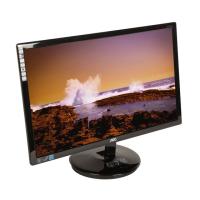
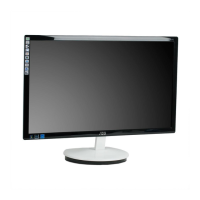
23" Flat wide monitor AOC e2350Shk



 To Next Page
 General