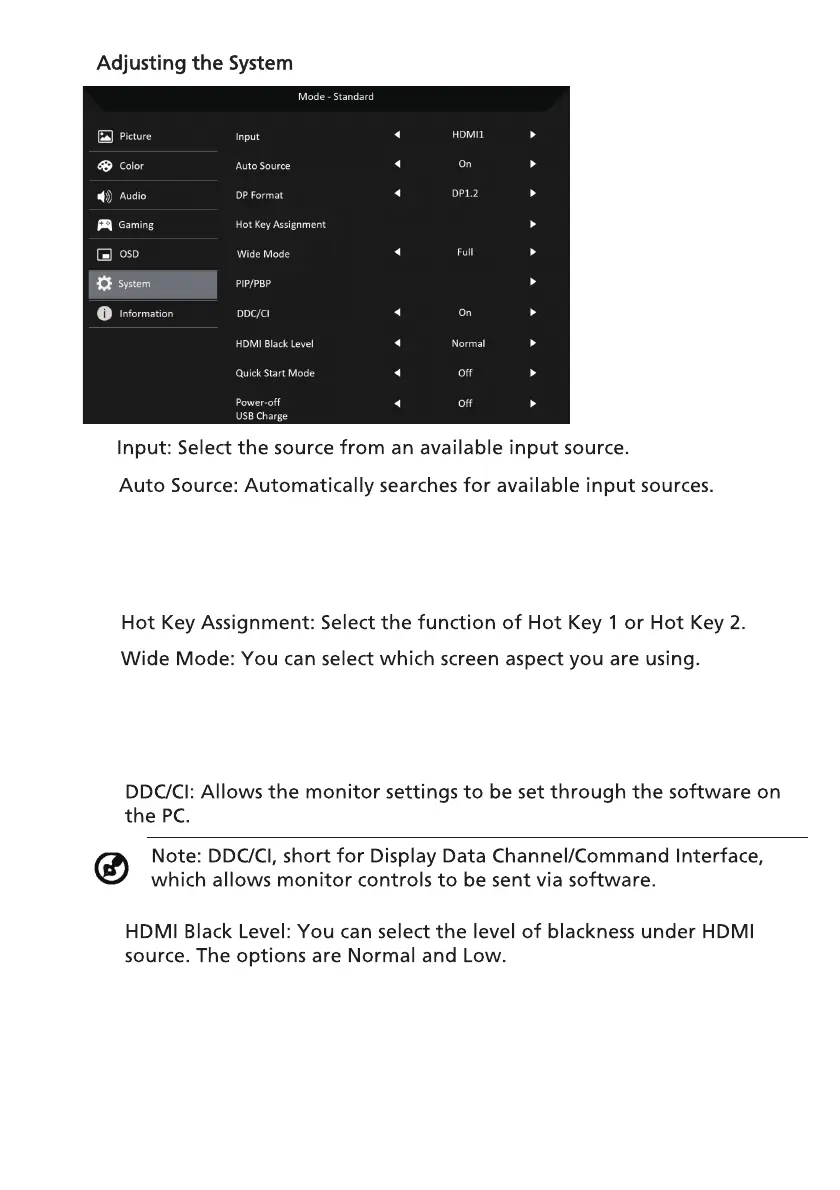
9. Quick Start Mode:Enable monitor rapidly.
6. PIP/PBP:The options for PIP/PBP Mode are Off, PIP Large, PIP Small, and
PBP. You can also adjust the PIP Position, PBP Size, Sub Source, Source
Swap, and Audio Source.
7.
8.
10. Power-off USB charge (Optional): Turn On or Off.:
5.
3. DP Format: You can select which DP format you are using. The default is
set at DP1.4 or DP1.2.
23
2.
4.
(*only for DP function)
(*only for USB function)
1.



 To Next Page