17
3-4. Getting to know your Chromebase Mini 10”
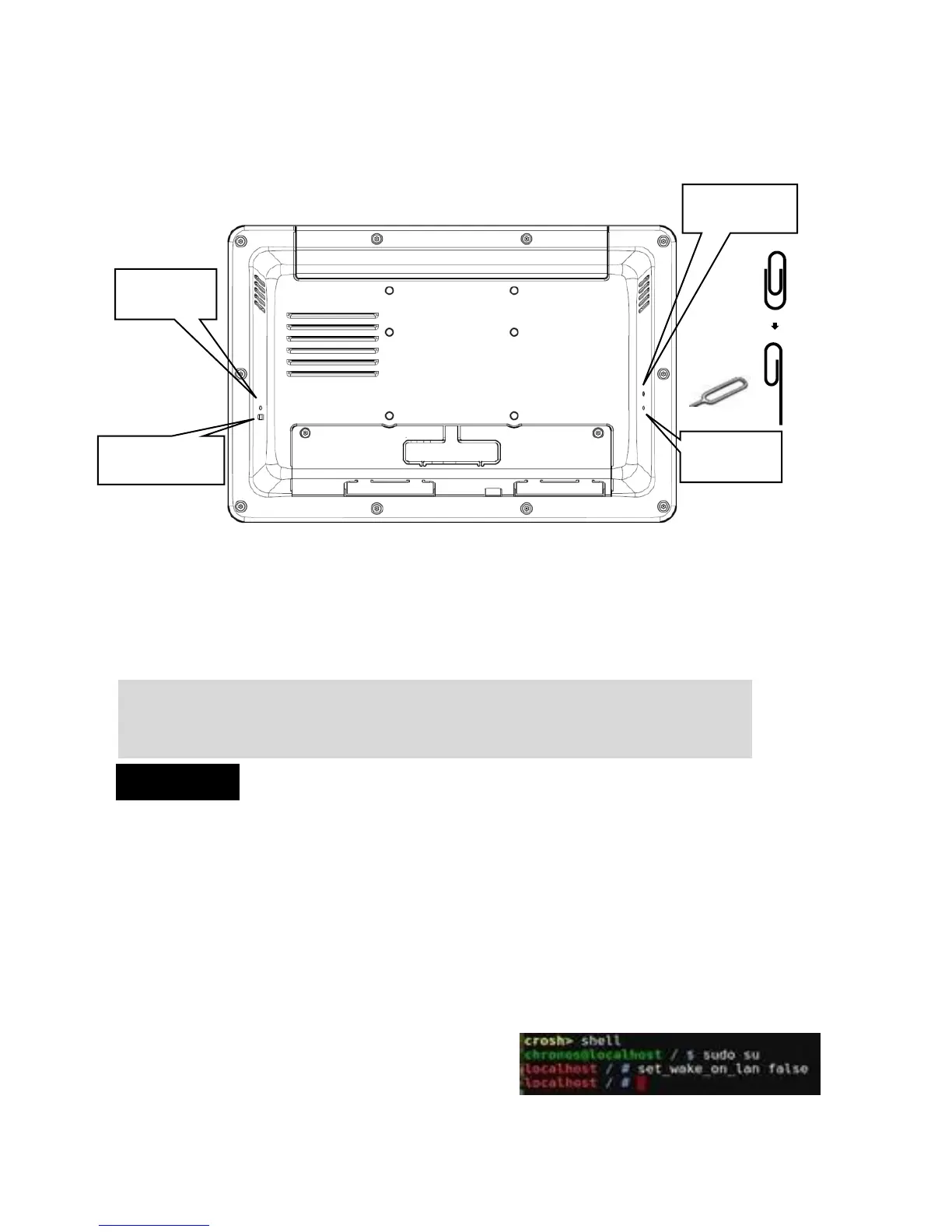
Please use attached tool or paper clip to insert into buttonhole
to amend the following settings.
Power button
The power button allows you to turn the Chromebase Mini 10” on or off.
You can use the power button to put your Chromebase mini 10” to sleep
mode or hold the clip in the power button for four (4) seconds to force
shutdown the device. To power on, hold the clip in the power button for
0.6 to 1 second.
When you install devices or cables, please ensure that DC plug is removed
prior to plugging in powered devices.
Wake on LAN (WOL) Ethernet RJ45
WOL enabled by default for Sleep Mode, when the system is
operating on AC mains power. (S5 power off not supported)
If you need disable WOL. Please log on to chrome OS and press
Ctrl + Alt + T then go to command mode, and type below command to
disable WOL. To use this function, turn Verification Off (Developer Mode).
crosh > shell
chronos@localhost / $ sudo su
Localhost / # set_wake_on_lan false
The default WOL function will be restored after reboot.


 To Next Page