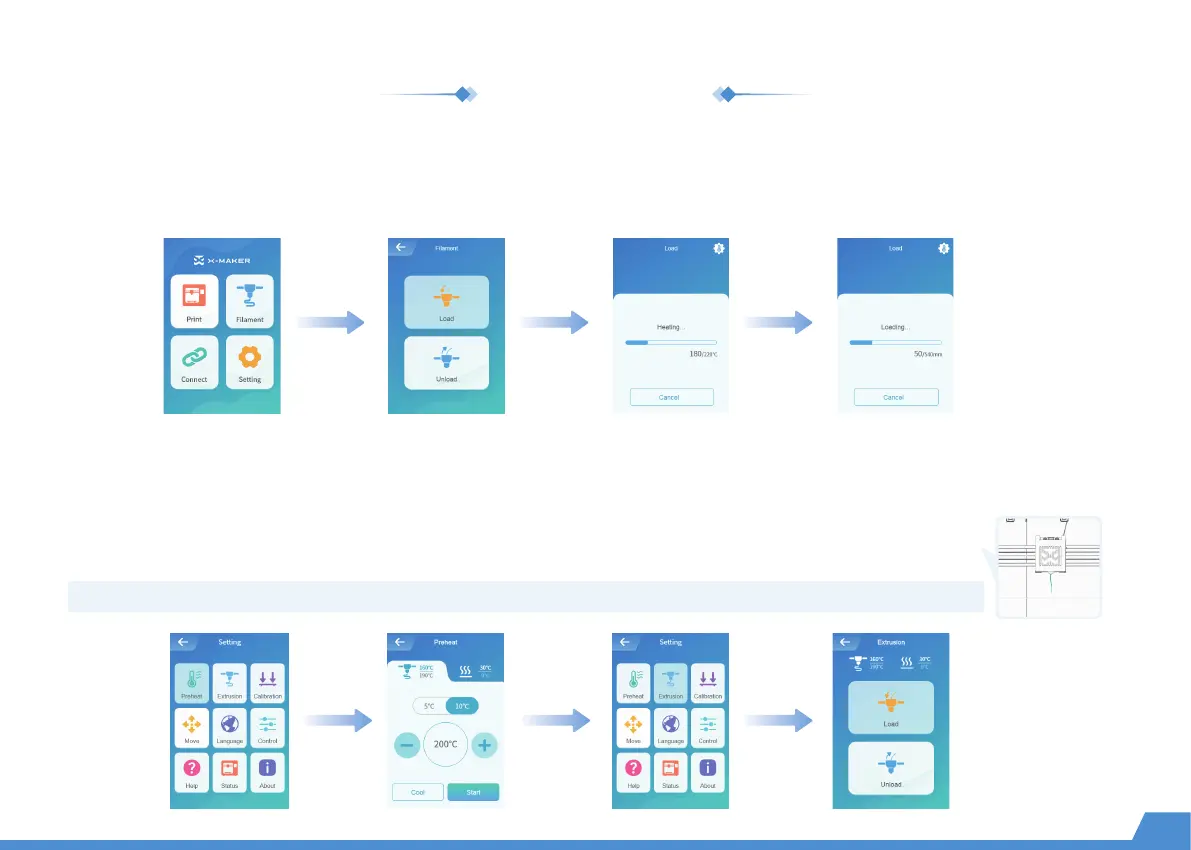
Go to "Filament -> Load" and wait for the nozzle to heat up. When the nozzle reaches target temperature, the filament
will be loaded automatically. Wait for the filament to come out of the nozzle and press the [Cancel] button.
Method 1
Go to "Setting -> Preheat" and set target temperature, then select "Start" to continue. (The target temp for PLA is 200 °C,
and for ABS is 230 °C. If you use a third-party material, please refer to the target temperature on the packing box.)
Go to "Extrusion -> Load" and set the feed length to 10mm. Charging ends when the filament exits the
nozzle.
Method 2
Load the filament
09
Note: The filaments must be pushed to the end of the pipe so that it comes out of the nozzle as soon as possible.


 To Next Page
 Loading...