10
Unload the filament
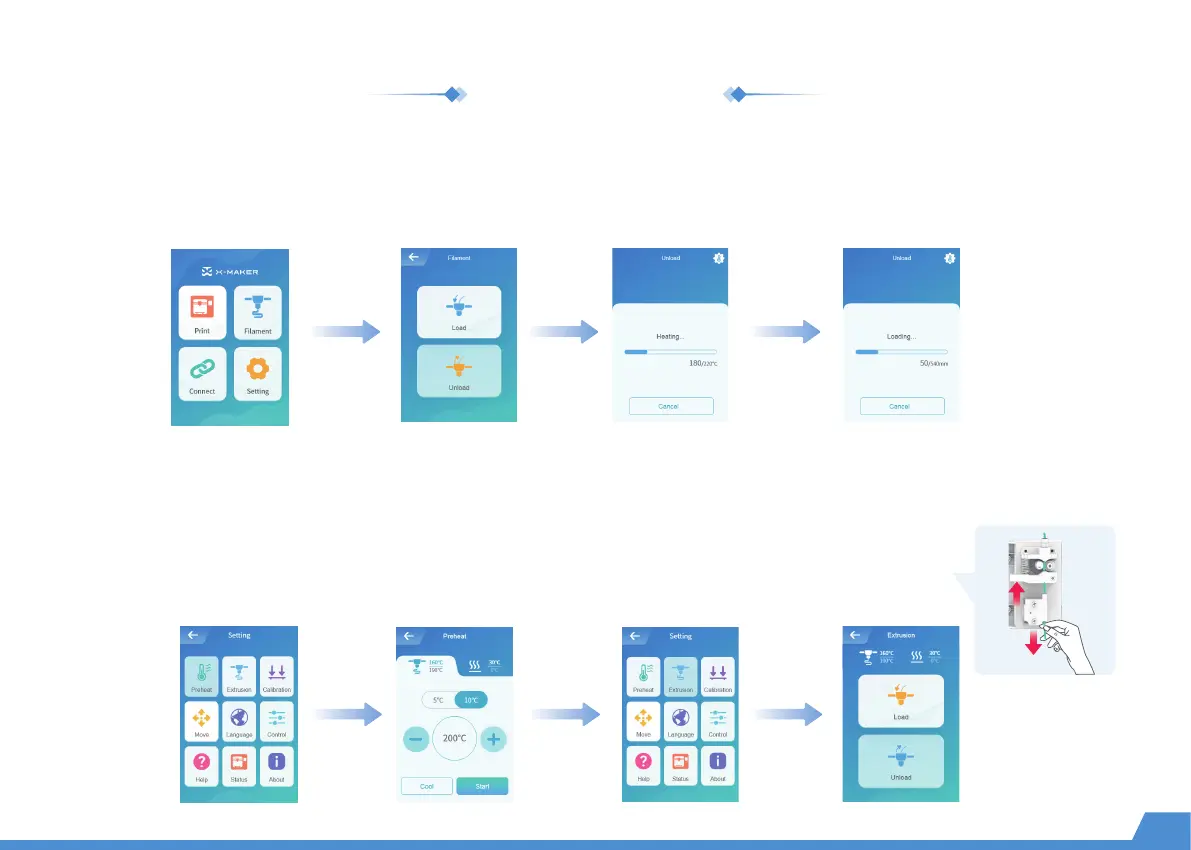
Go to "Filament -> Unload" and wait for the nozzle to heat up until the filament is unloaded under the extruder gear
and pull out the filament directly.
Method 1
Go to "Setting -> Preheat" and set target temperature, then select "Start" to continue. (The target temp for PLA is 200 °C,
and for ABS is 230 °C. If you use a third-party material, please refer to the target temperature on the packing box.)
Go to "Extrusion -> Unload" and set the feeding length to 10mm. Repeat the above operation for 3-5
times until the end of the material comes out towards the filament inlet. Push the spring up and pull
out the filament.
Method 2


 To Next Page