Model printing
11
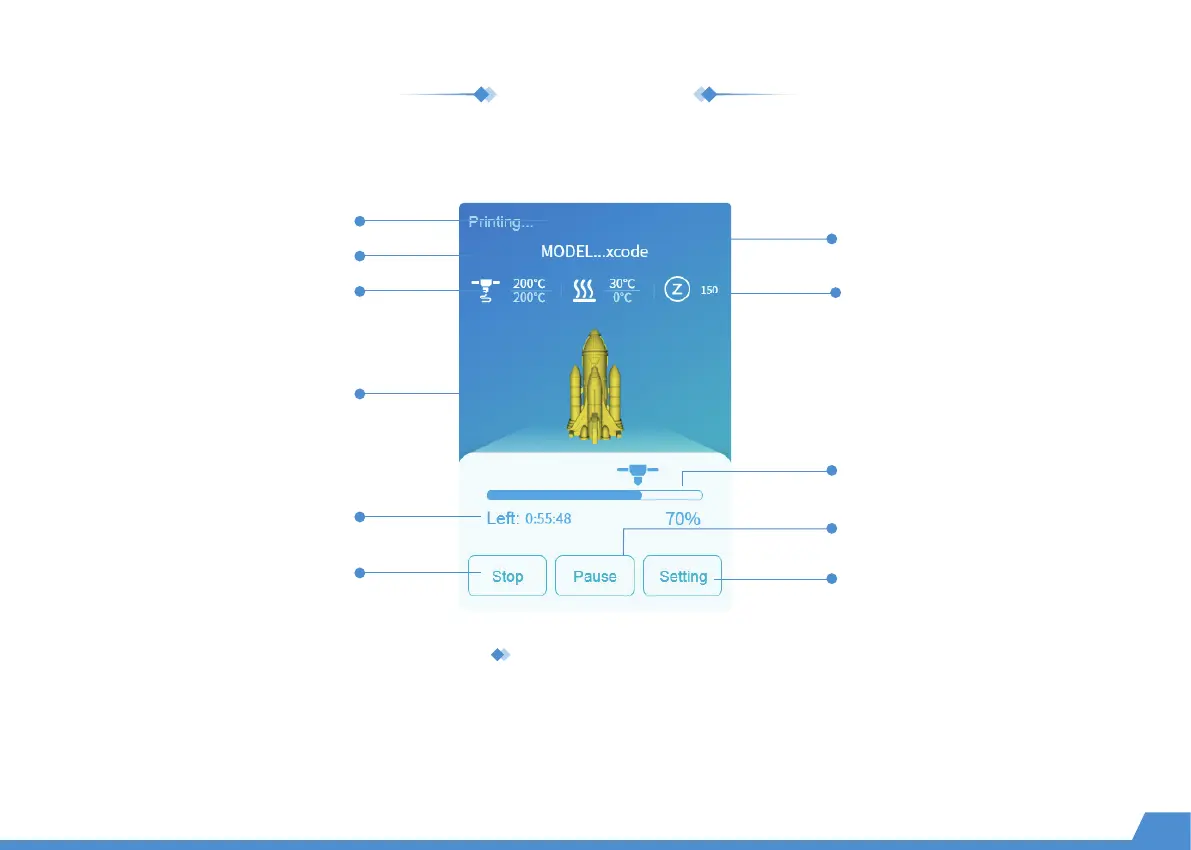
Printing interface
1. Get your pattern to cut using X-PRINT.
2. Load the file into the printer and print it with one-touch. (Make sure your printer and X-MAKER app are connected to
the same WLAN.) * Alternatively, you can save the file to a U-disk for printing with offline printers.
You can print the model by performing the following steps
Print status
Remaining time
Current Z-axis coordinate
File name
Current temperature of nozzle
Target temperature of nozzle
3D Viewer
Print progress
Stop
(Printing can't be resumed.)
More settings
Current temperature of hotbed
Target temperature of hotbed
Pause/Start
(Printing can be resumed.)


 To Next Page