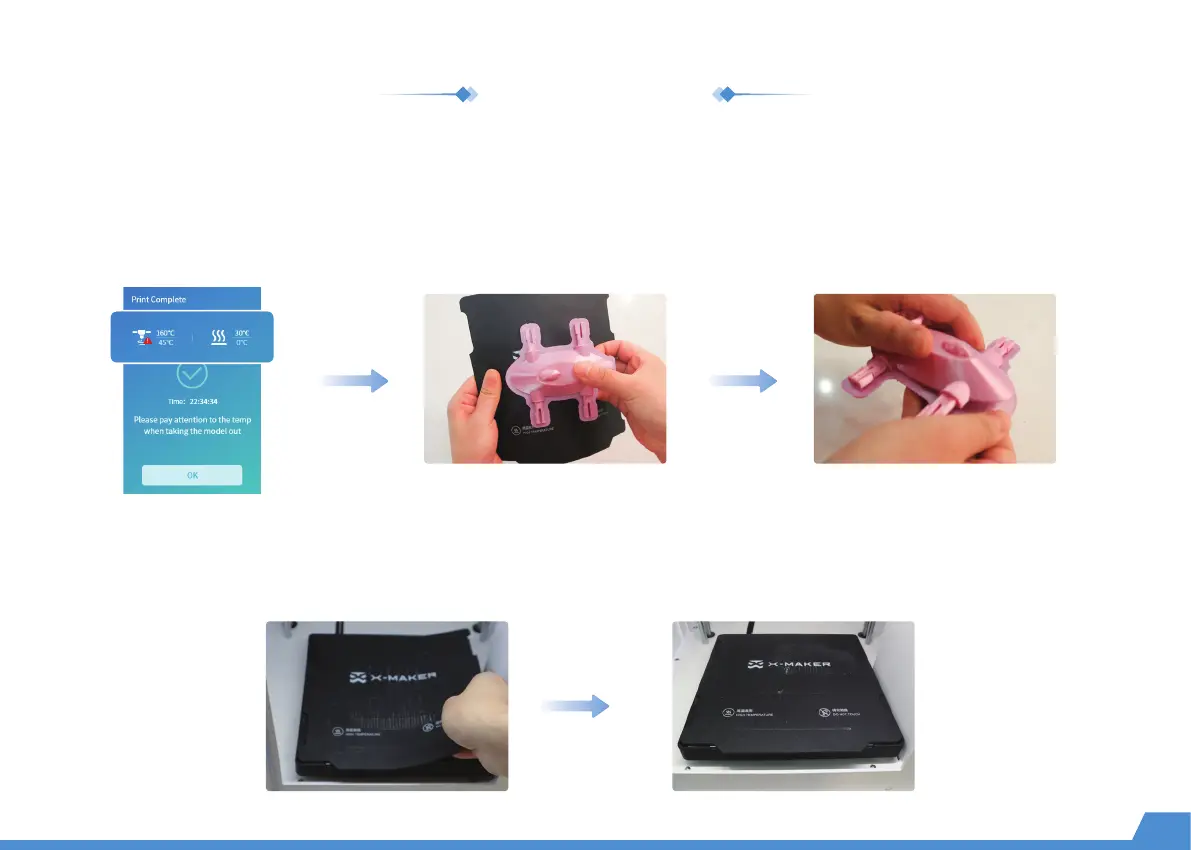
Once the print job is finished, allow the baseplate to cool down for 5 minutes before reaching inside. If the print is
removed without complete cooling, some parts of the print may adhere to the baseplate. (*Don't touch the nozzle and
allow it to cool down below 45 °C to avoid burns.)
Remove the print
After removing the print, use tools to carefully clean the remaining parts of the print on the base plate. Put the base plate back on the
heating platform. (As shown in the figure below)
Place the base plate
12
Remove the print Remove support material
Printing complete
Use pliers to remove the support structures of the impression.


 To Next Page