14
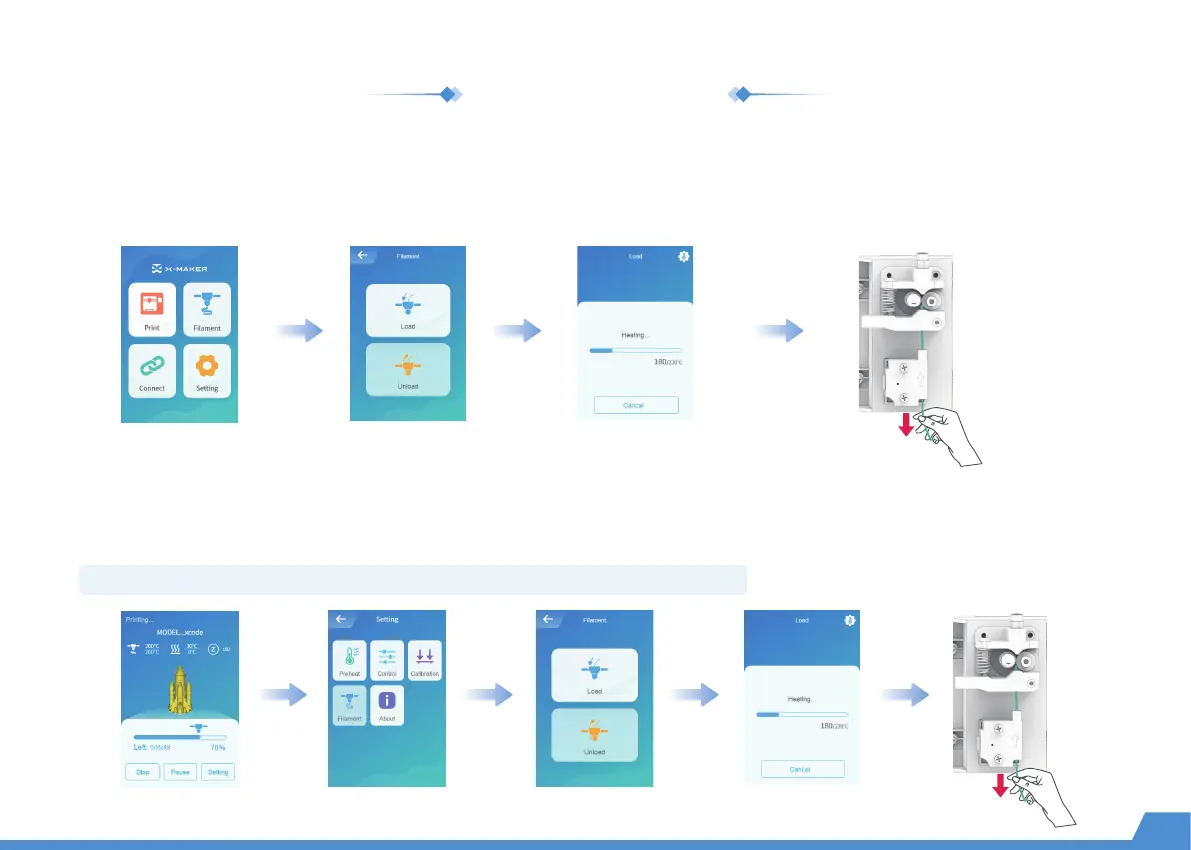
Go to "Filament -> Unload" and wait for the nozzle to heat up until the filament is unloaded under the extruder gear.
Remove the filament and load a new spool of filament.
In an idle state
Go to "Pause -> Filament -> Unload" and wait for the nozzle to heat up until the filament is unloaded under the extruder
gear. Remove the filament and load a new spool of filament. Then press the [Start] button to continue the print job.
During printing
Note: Don't touch the [Stop] button by mistake, or your print job will not be able to continue.
Change the filament


 To Next Page