15
Move
Move
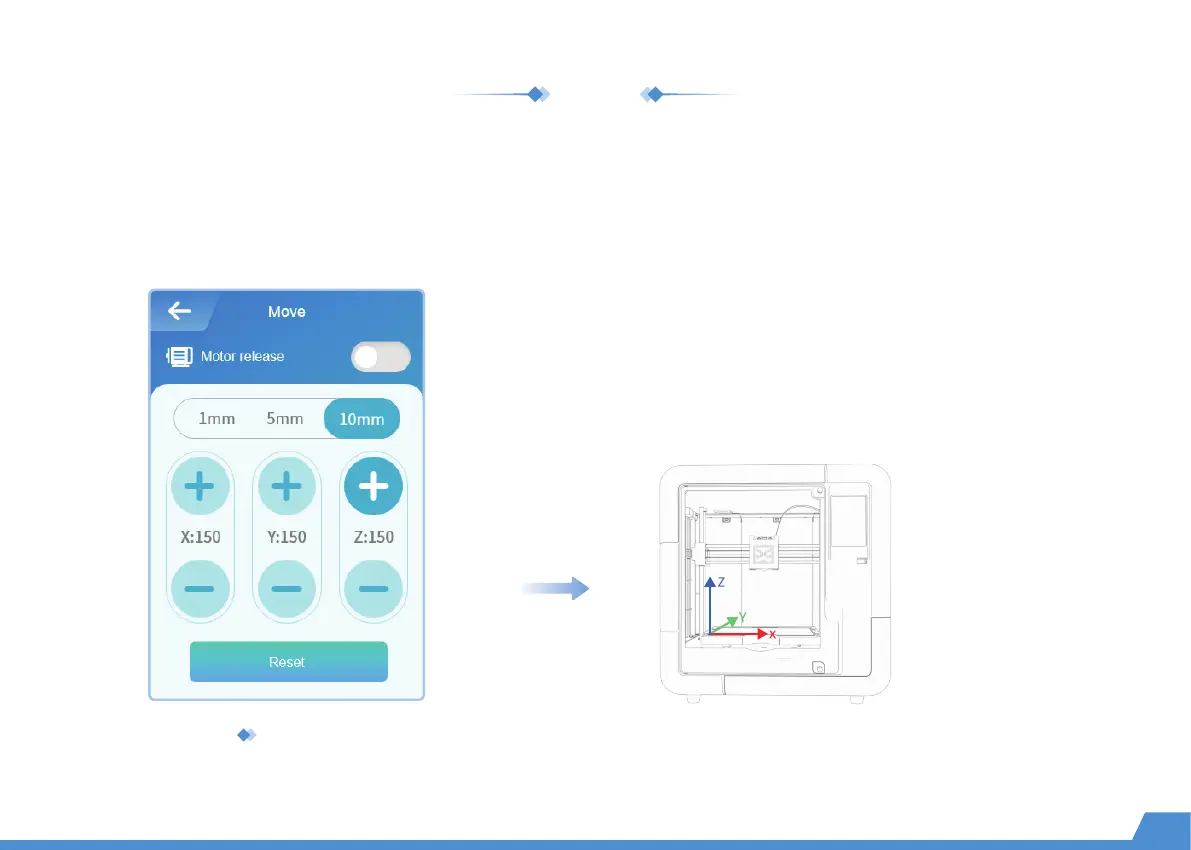
To ensure optimal printing results, you need to perform the XYZ axes calibration during maintenance.
Go to "Setting -> Move -> Reset" and wait for the XYZ axes to reset. Select the moving distance: 1mm, 5mm, or 10mm.
Press the [+/-] button and move the XYZ axes. (If the distance is set to 10mm, press the [+/-] button once and the
X/Y/Z axis will move 10mm accordingly; press twice and it will move 20mm.)
Motor release
Activate this mode and you will be able to adjust the nozzle and base
plate manually. Turn off this mode and the printer will be energized
again. Only the nozzle and base plate can be adjusted using the touch
screen. (See "Move" operations for more information)
X/Y/Z axes


 To Next Page
 Loading...