Print
24
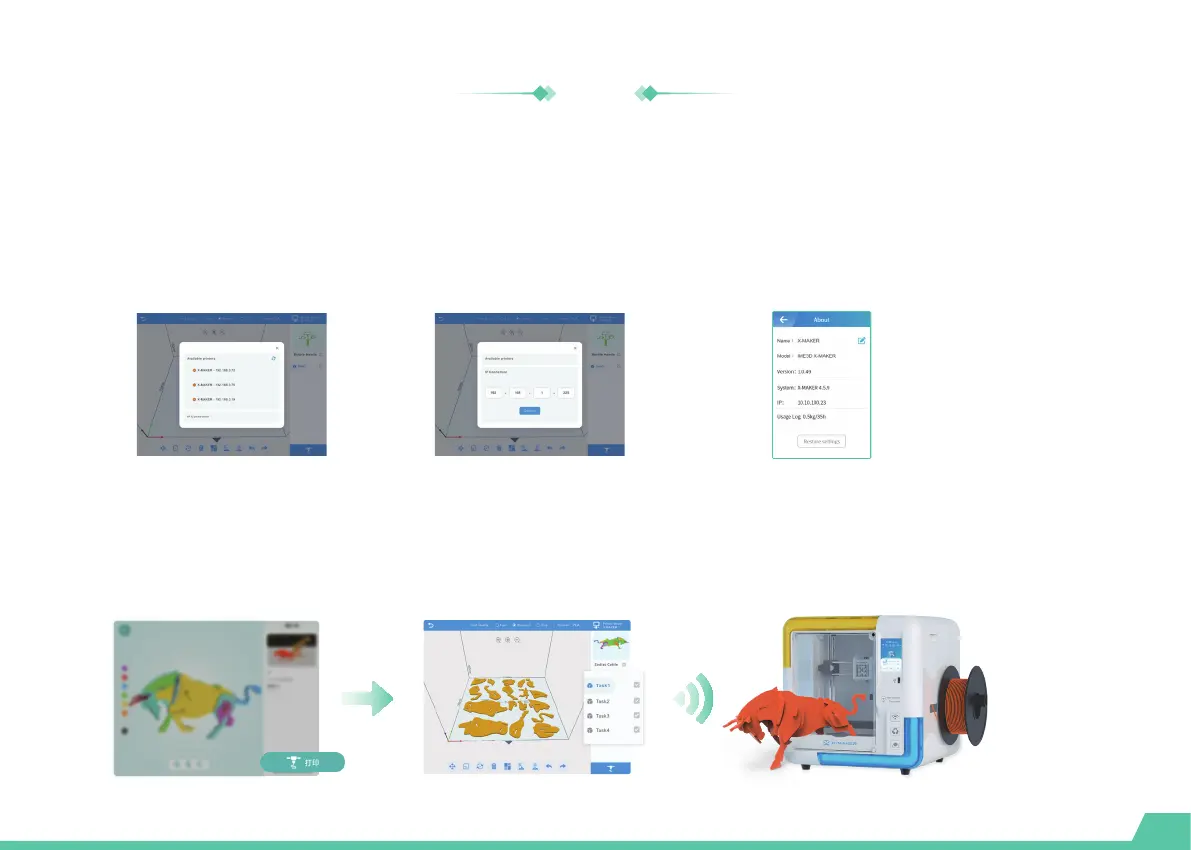
Press the button at the upper right corner and search for available printers.
Connect to the printer
Click the [Print] icon. The print job will be divided into several tasks with automatical slicing, while all files are uploaded to
the printer directly. In each task, you can see how your models are being sliced. Press the [Print] icon again to start printing.
One-touch printing
Select your X-MAKER 3D printer and connect to it . (Make sure your printer and the X-MAKER App are connected to the
same WLAN.) Alternatively, you can perform the IP Connection if your printer cannot be found. ( The IP address can be
found by navigating to "Setting -> About" using the touchscreen.)
Search for printer IP connection Search for IP address


 To Next Page
 Loading...