25
X-PRINT
After successfully setting up the printer and the X-MAKER App, install the X-PRINT - IME's free slicing
software on your computer. You can download X-PRINT at www.aoseed.com/downloads.
Supported OS
System Requirements
Windows
· Display card compatible with OpenGL 2
· Intel Core 2, AMD Athlon 64, or later
· At least 4GB of memory (8GB or above is recommended)
· 64-bit processor
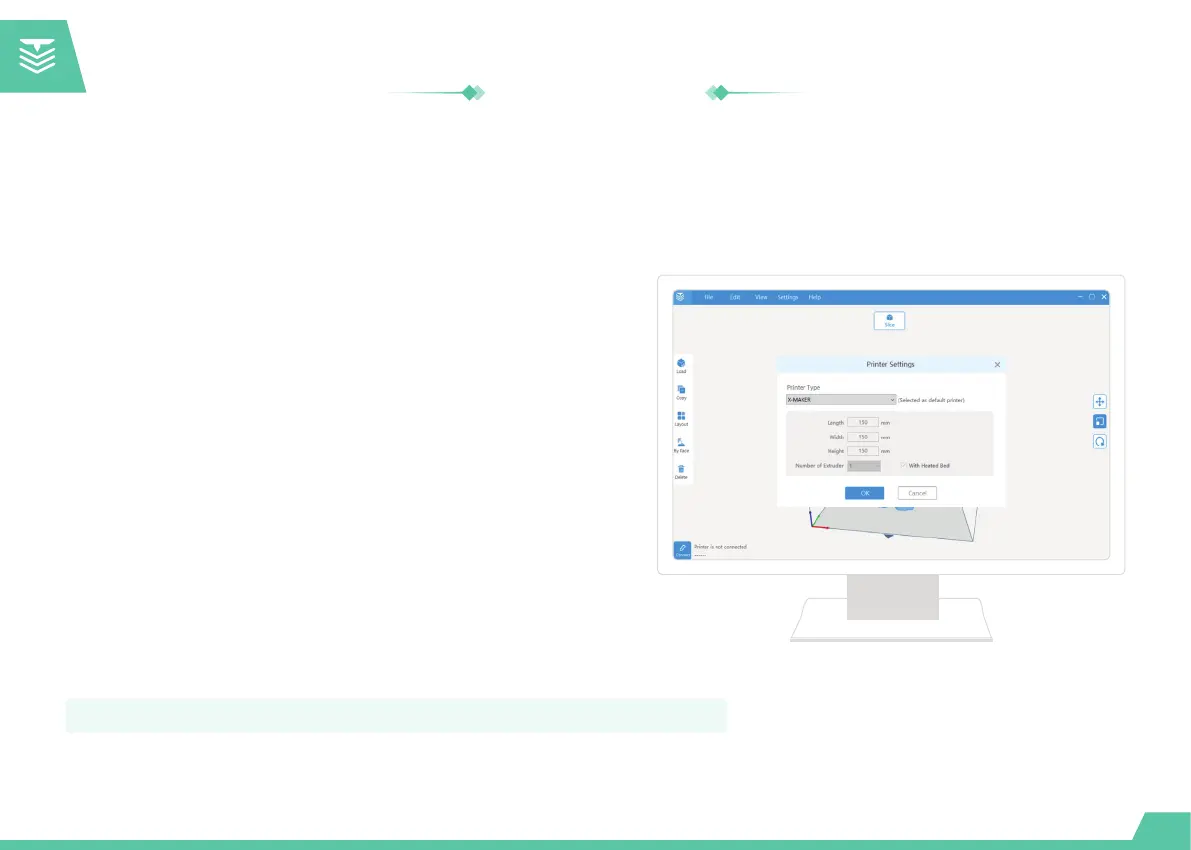
After downloading, run the installer to complete the installation of
the X-PRINT. When opening the X-PRINT for the first time, you
will be asked to select your X-MAKER 3D printer.
* If you skip this step, you can connect it to the printer later, by going to "Setting -> Printer".
Slicing Software
Installation


 To Next Page