Model editing
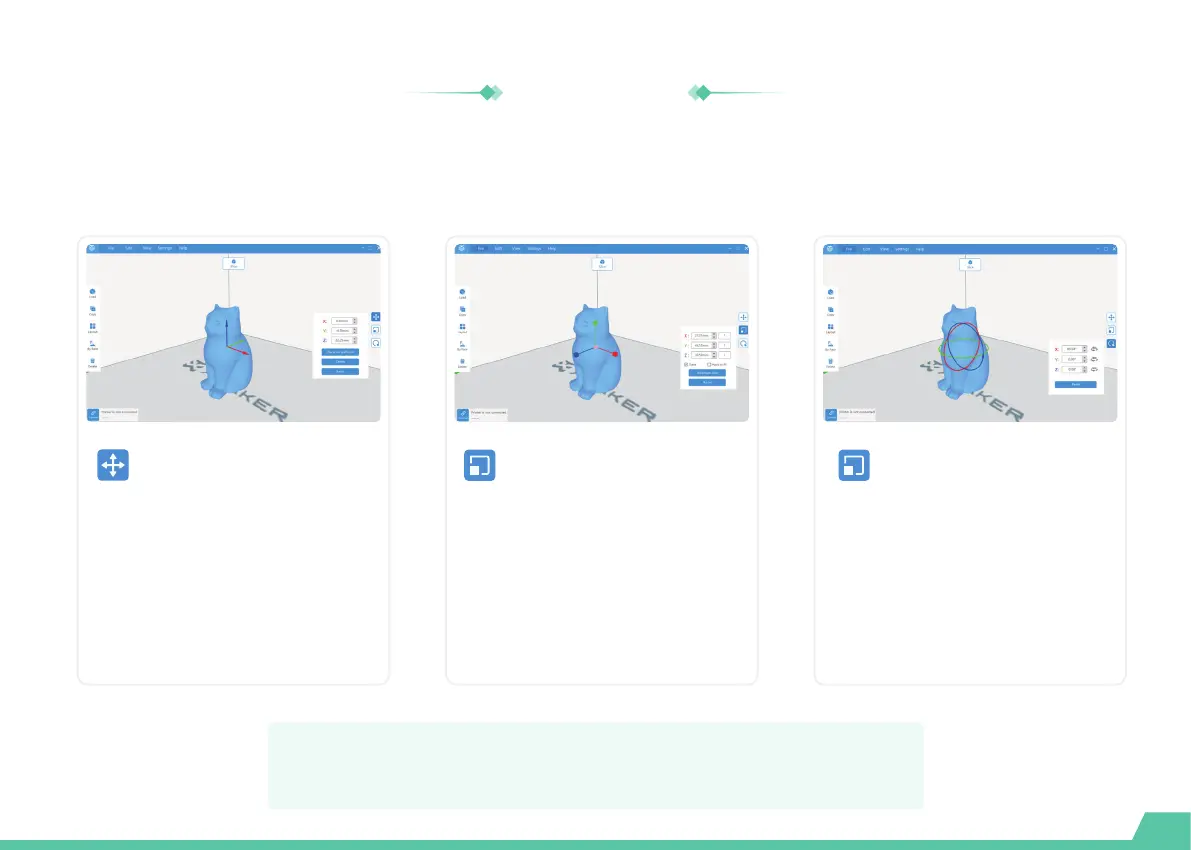
The X-PRINT includes functions to move, scale, rotate, or duplicate parts and optimize the layout.
An Optimal layout can reduce the need for support material.
Select the model you would like to
move and click the [Move] button.
You can move the model by setting
exact coordinates of it, or by
dragging the arrows.You can also
use [Centered] or [Place on base
plate].
Move
Select the model you would like to
scale and click the [Scale] button.
You can scale the model by setting
the exact model size in millimeters,
dragging arrow handles. You can
also print the model at the
maximum size.
Scale
Select the model you would like to
rotate and click the [Rotate]
button. You can rotate the model
by setting the exact rotate
degrees or dragging rotate hoops.
Rotate
27
For more information about the X-PRINT, please consult the
X-PRINT user manual at en.ime3d.com/Support/XMaker


 To Next Page
 Loading...