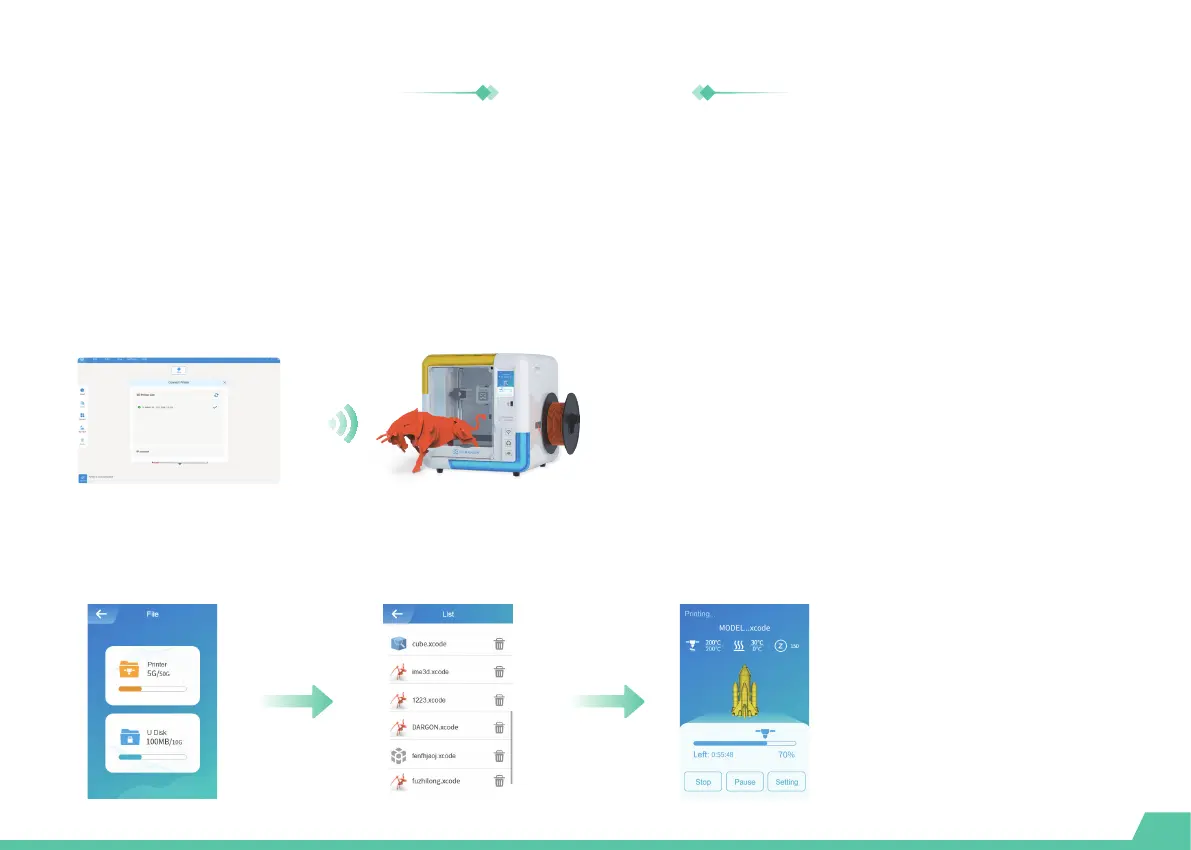
Model printing
Make sure that your printer and the X-PRINT are connected to the same WLAN and the file can be uploaded to the
printer directly via the network.
Once the slice settings are in place, press the [Slice] button. When the process completes, it will go to the preview
stage and immediately will show a [Print] button, as well as a [Save] button. Press the [Save] button and save the
files to your computer as Xcode / Gcode. Press the [Print] button and print it via the network that the X-MAKER 3D
printer is connected to.
One-touch printing
You can also save the file to a USB for printing if the network is in bad condition.
U-disk printing
29


 To Next Page