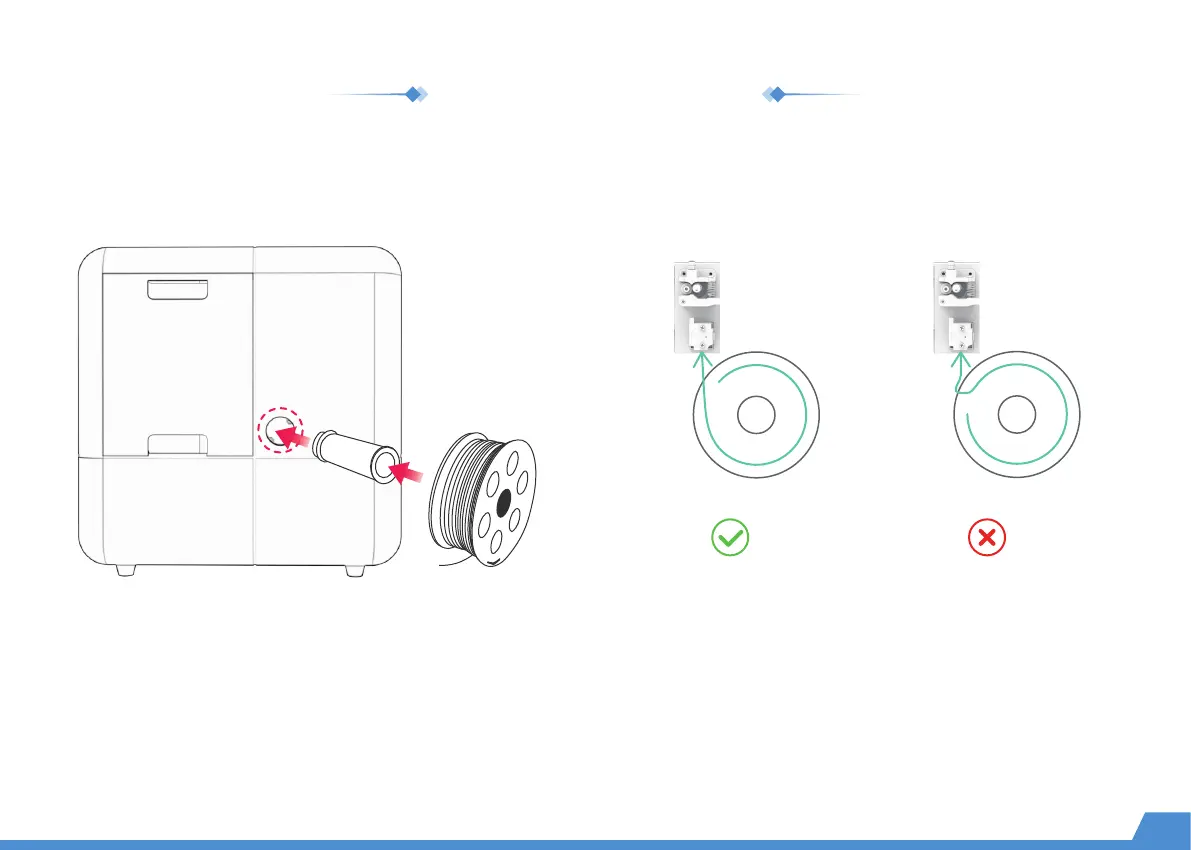
Install the holder on the right side of the printer.
Place the spoolInstall the filament holder
Place the filament spool in the holder.
(Please make sure the filaments are not knotted or crossed.)
Filament Inlet Filament Inlet
Right
Wrong
Install the filament holder
06


 To Next Page