1. When not using the battery for a long time, please charge it 1-2 times every month.
2. Please keep the key properly. If your key is lost, we can provide a new key according to the nameplate number on the key
3. Please keep the battery environment dry, for example, do not stay in the rain for a long time 4 Please use a universal meter to test the battery attenuation regularly
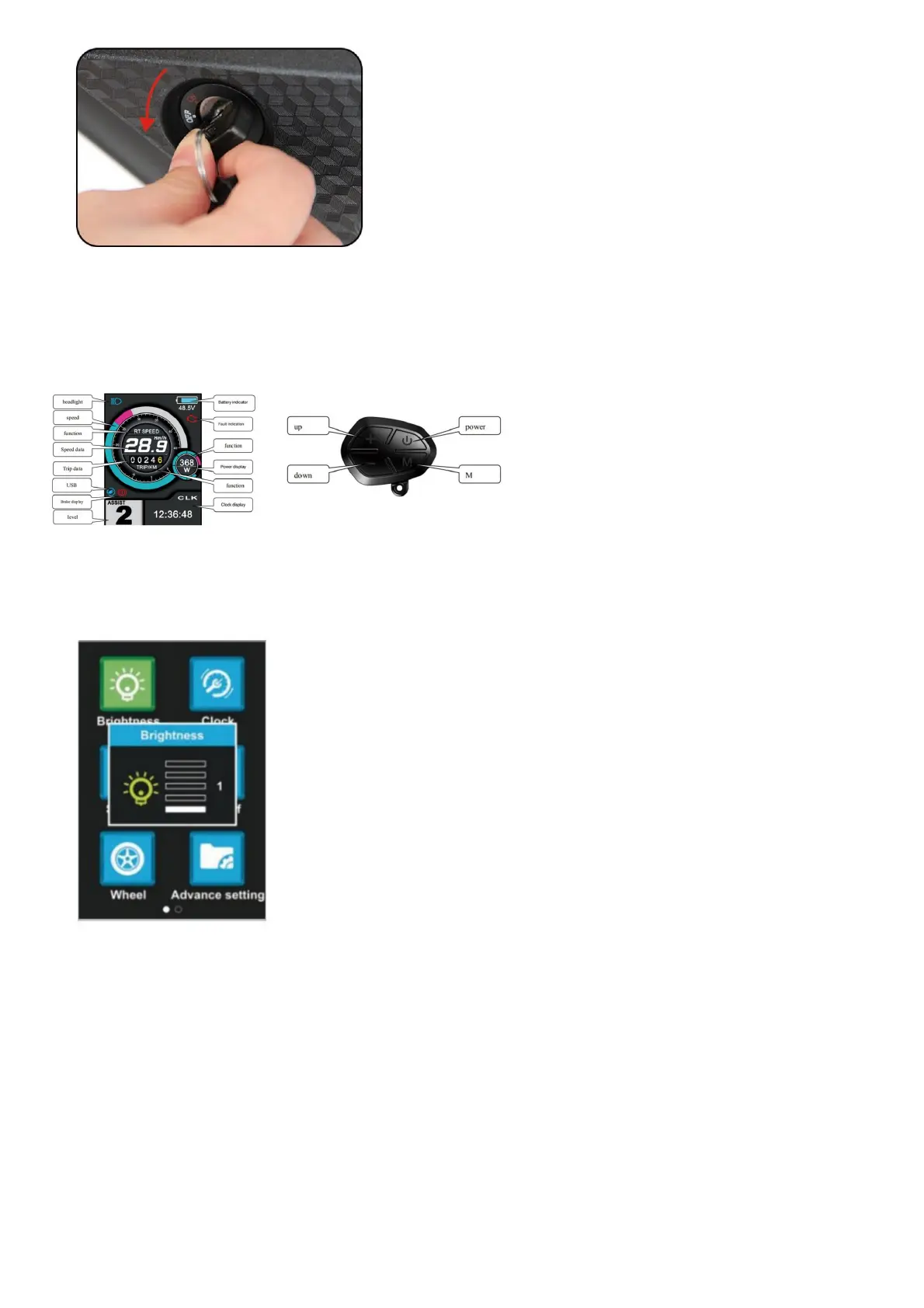
Display Use &Maintenance
Color LCD display
In the state of power on, press the M button twice(time interval must be within 0.3S), the system will enter the menu parameter setting state, in this state, users can set the parameters, press
the M button twice again to quit setting state(time interval must be within 0.38).
Brightness:
1. UP or DOWN
2. 1-5 (Brightness)
3. Select, M Confirm
Clock:
1. UP or DOWN
2. Year/Month/- Day/Hour/Min/Sec
3. Select, M Confirm



 To Next Page