WWW.APART-AUDIO.COM
4
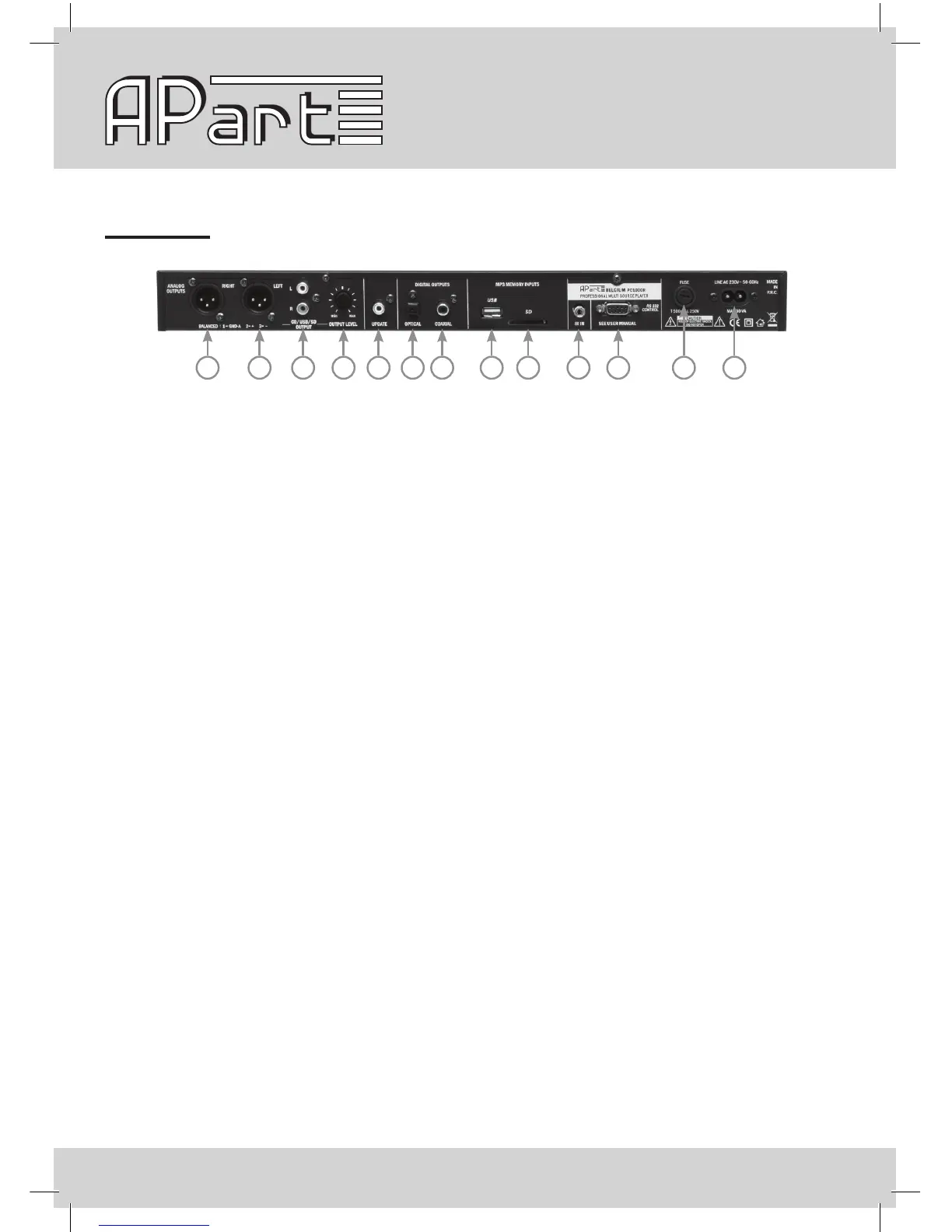
1 2 3 4 5 6 7 8 9 10 11 12 13
Rear panel
1. Right channel balanced output. The maximum level can be set with level knob 4.
2. Left channel balanced ouput. The maximum level can be set with level knob 4.
3. Unbalanced output on cinch connectors. The maximum level can be set with level knob 4.
4. Level knob: to preset the maximum output level on the analog outputs.
5. Update: don’t connect anything here.
6. Optical digital output on Toslink ™. Output format is SPDIF, 16 bits, 44.1 kHz sampling rate.
7. Coaxial digital output on cinch. Output format is SPDIF, 16 bits, 44.1 kHz sampling rate.
8. USB slot: this is a copy of the front USB slot, use the front or the rear slot, not both simultaneously !
9. SD card slot: this is a copy of the front SD card slot, use the front or the rear slot, not both
simultaneously !
10. IR in: infrared command input on stereo minijack. Connect for example our PIR-REC here. Please note
that the front IR eye will be disabled when a jack is inserted here.
11. RS 232 port.
12. Fuse holder: contains a 500 mA slow blow fuse. Replace only with a fuse of identical voltage and
current rating !
13. Mains cable inlet.
Notes: the output level can also be adjusted during playback via the infrared remote or serial control
commands. This volume control is located before the master output level knob (4) on the rear of the unit.
After waking up from standby or after power up, the volume level is automatically reset to the maximum as
set by the rear volume knob.


 To Next Page