7
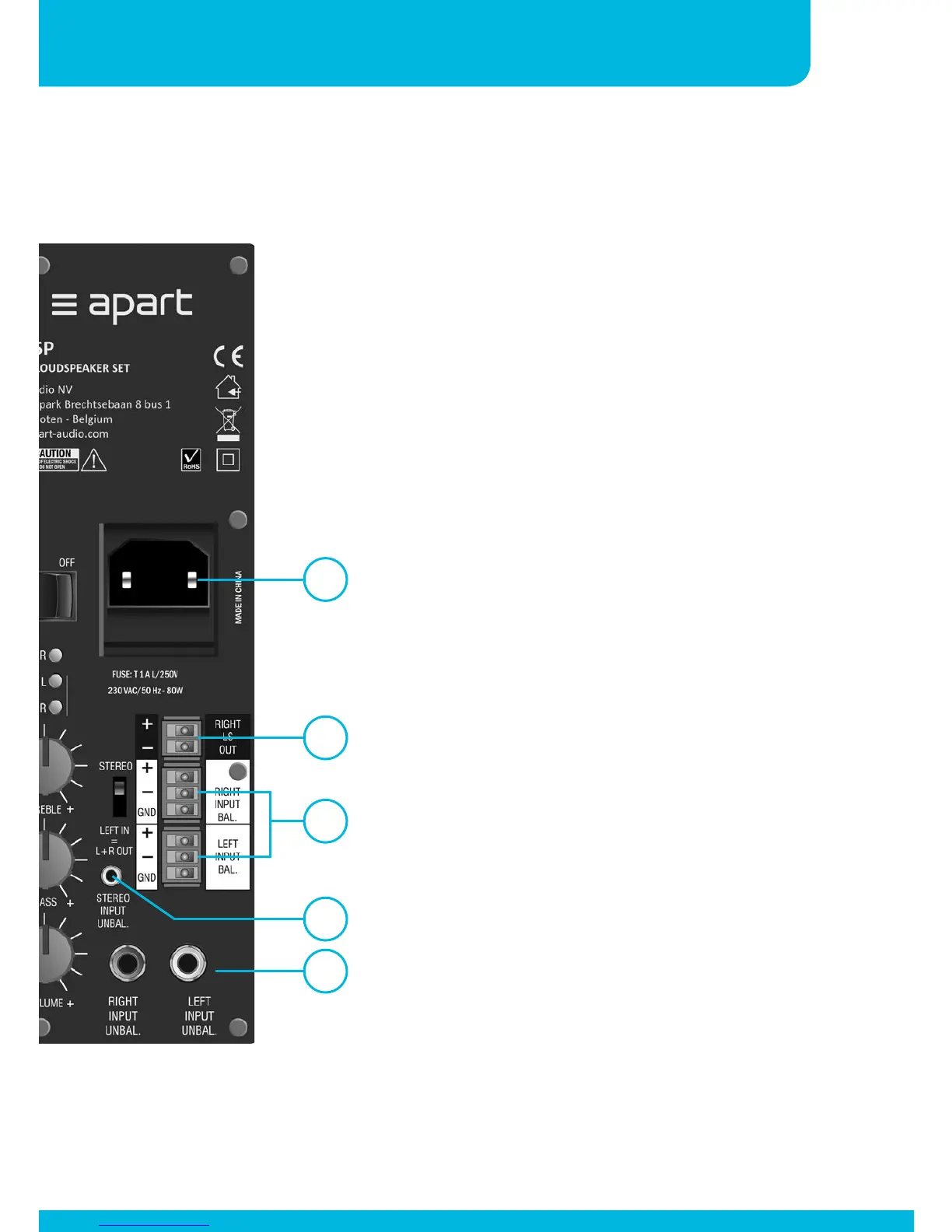
8. Balanced line inputs: connect your
balanced line level signals here.
The signals from the balanced and
unbalanced inputs are mixed together.
It is possible to use all available input
simultaneously.
9. Speaker output: connect the right
speaker (slave) here. Mind the polarity
!!! Connect + to + and – to -.
10. Mode switch: this switch turns
your SDQ5P in a full stereo or a
very compact mono system. When
switched to mono mode, use the
“Left” input only. The audio signal
from the left input will sound through
both speakers.
11. Mains socket: connect the supplied
mains cord here. This socket
contains a 1 A slow acting fuse. Use
a screw driver to flip out the fuse
compartment to access a broken fuse.
When this fuse burns frequently you
should return the SDQ to your dealer
for service.
12. Heat sink: the heat sink will get warm
during operation! This is normal.
11
9
8
7
6


 To Next Page