21
MENU
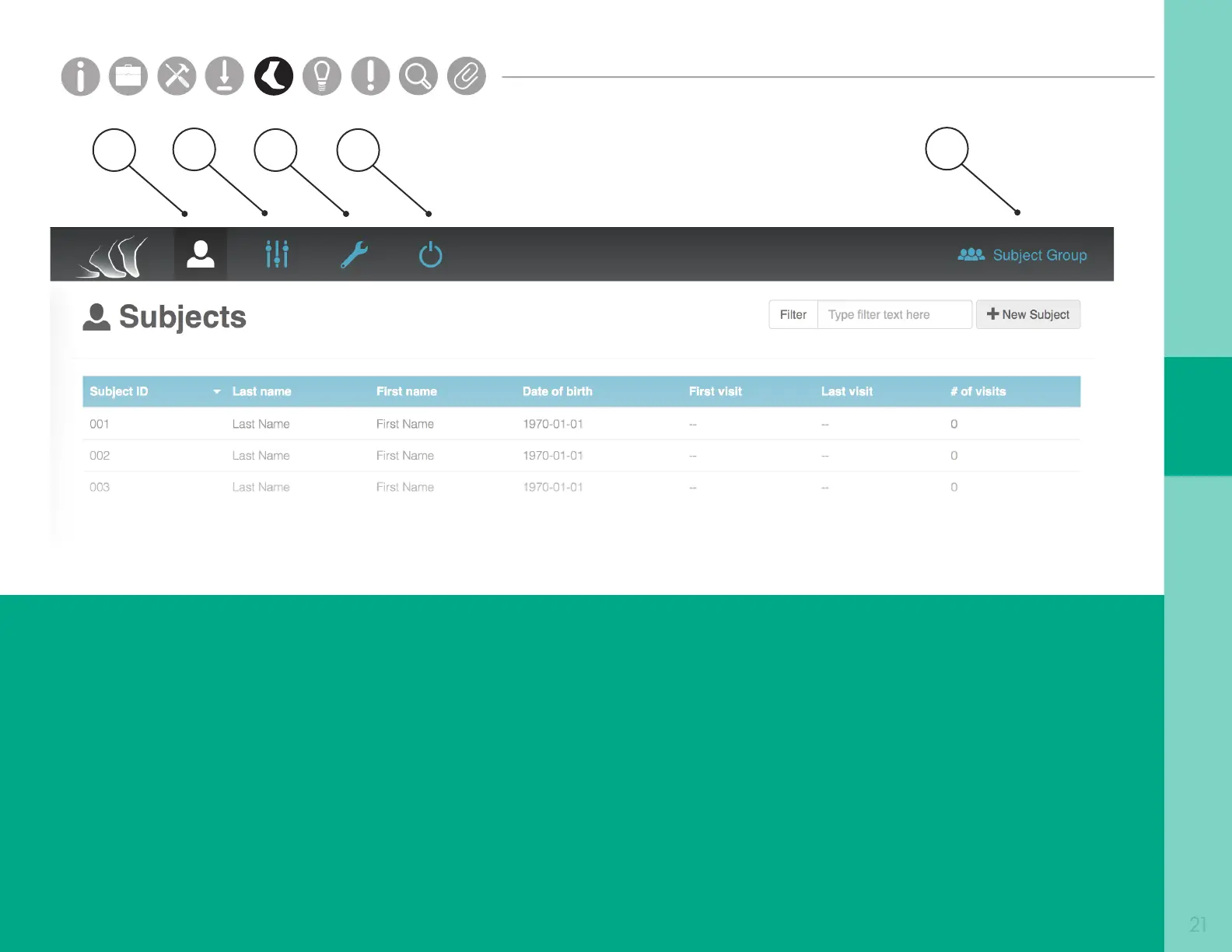
1. Subjects
The Subjects tab shows all of the subjects in your
Mobility Lab system for a selected subject group.
2. Options
The Options tab shows all of the display options
in your Mobility Lab system for a selected
subject group.
3. Hardware Conguration
The Hardware Conguration tab shows assigned
sensor locations on the body.
4. Power O Sensors
The Power O Sensors tab turns o any docked
sensors. Sensors will power o once undocked.
5. Subject Group Selection
The Subject Group Selection dropdown allows
you to select, add, edit, delete, and export data
for a specic subject group.
1
2
3
4
5
Subject Group
Parts
Setup M.L. How to
M.L. Software Download Troubleshooting
Hardware Cong
Tech Stats/Info
Parts
Setup M.L. How to
M.L. Software Download Troubleshooting
Hardware Cong
Tech Stats/Info
Parts
Setup M.L. How to
M.L. Software Download Troubleshooting
Hardware Cong
Tech Stats/Info
Parts
Setup M.L. How to
M.L. Software Download Troubleshooting
Hardware Cong
Tech Stats/Info
Parts
Setup M.L. How to
M.L. Software Download Troubleshooting
Hardware Cong
Tech Stats/Info
Parts
Setup M.L. How to
M.L. Software Download Troubleshooting
Hardware Cong
Tech Stats/Info
Parts
Setup M.L. How to
M.L. Software Download Troubleshooting
Hardware Cong
Tech Stats/Info



 To Next Page