23
Parts
Setup M.L. How to
M.L. Software Download Troubleshooting
Hardware Cong
Tech Stats/Info
OPTIONS
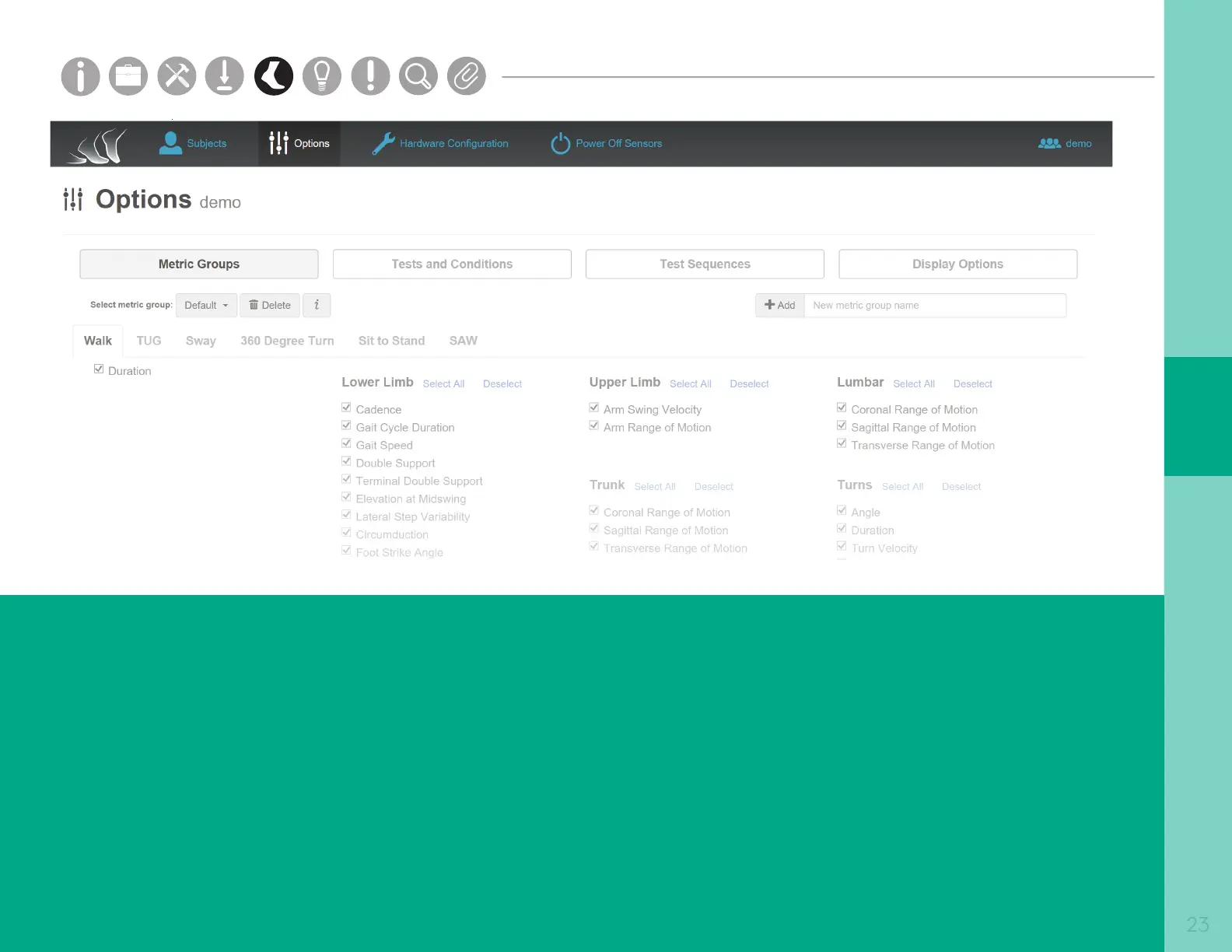
The Options tab shows all of the display options
in your Mobility Lab system for a selected subject
group.
Metric Groups
The “Metric Groups” page allows you to
change which metrics are displayed in the
test results window, and add custom metric
groups for each test.
Tests and Conditions
The “Tests and Conditions” page allows you to
add, edit, and delete custom tests and test conditions.
Test Sequences
The “Test Sequences” page allows you to add, edit,
and delete custom test sequences.
UI Options
The “UI Options” page allows you to enable recording
annotations, and allow conguration for logging.
Parts
Setup M.L. How to
M.L. Software Download Troubleshooting
Hardware Cong
Tech Stats/Info
Parts
Setup M.L. How to
M.L. Software Download Troubleshooting
Hardware Cong
Tech Stats/Info
Parts
Setup M.L. How to
M.L. Software Download Troubleshooting
Hardware Cong
Tech Stats/Info
Parts
Setup M.L. How to
M.L. Software Download Troubleshooting
Hardware Cong
Tech Stats/Info
Parts
Setup M.L. How to
M.L. Software Download Troubleshooting
Hardware Cong
Tech Stats/Info
Parts
Setup M.L. How to
M.L. Software Download Troubleshooting
Hardware Cong
Tech Stats/Info
Parts
Setup M.L. How to
M.L. Software Download Troubleshooting
Hardware Cong
Tech Stats/Info



 To Next Page