24
HARDWARE CONFIGURATION
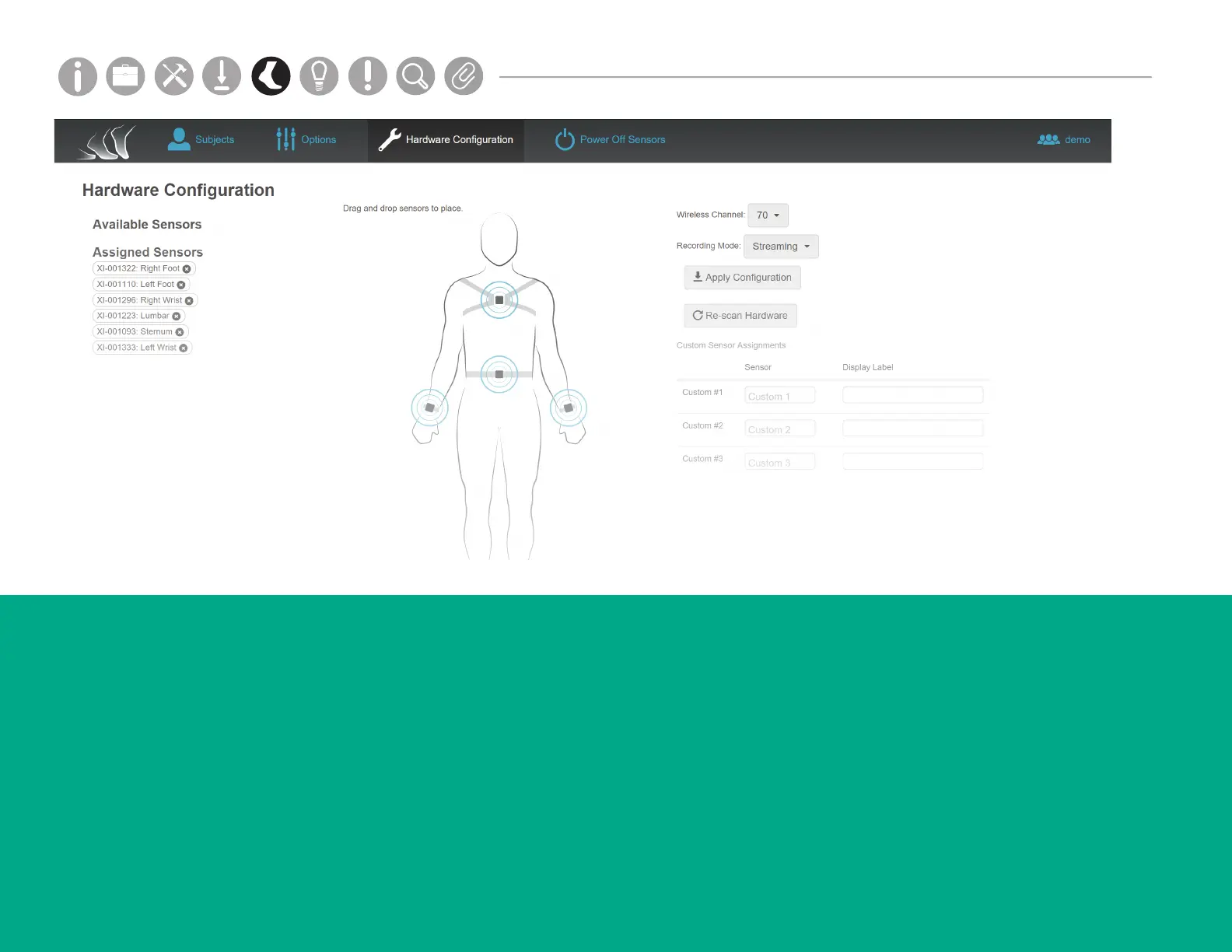
The Hardware Conguration tab shows assigned sensor
locations on the body.
Sensor Assignment
Assign Opals to a body site location by dragging from
the Available Sensors list and dropping on the human
model. The sensors will now show in the Assigned
Sensors list.
Custom Sensor Assignments
You can also assign custom sensor locations by
typing in the Custom Sensor Assignments elds.
Apply Conguration
Click here when you are done choosing your
conguration options.
External Synchronization settings can be accessed in the
Tools dropdown of the menu bar.
Parts
Setup M.L. How to
M.L. Software Download Troubleshooting
Hardware Cong
Tech Stats/Info
Parts
Setup M.L. How to
M.L. Software Download Troubleshooting
Hardware Cong
Tech Stats/Info
Parts
Setup M.L. How to
M.L. Software Download Troubleshooting
Hardware Cong
Tech Stats/Info
Parts
Setup M.L. How to
M.L. Software Download Troubleshooting
Hardware Cong
Tech Stats/Info
Parts
Setup M.L. How to
M.L. Software Download Troubleshooting
Hardware Cong
Tech Stats/Info
Parts
Setup M.L. How to
M.L. Software Download Troubleshooting
Hardware Cong
Tech Stats/Info
Parts
Setup M.L. How to
M.L. Software Download Troubleshooting
Hardware Cong
Tech Stats/Info



 To Next Page