22
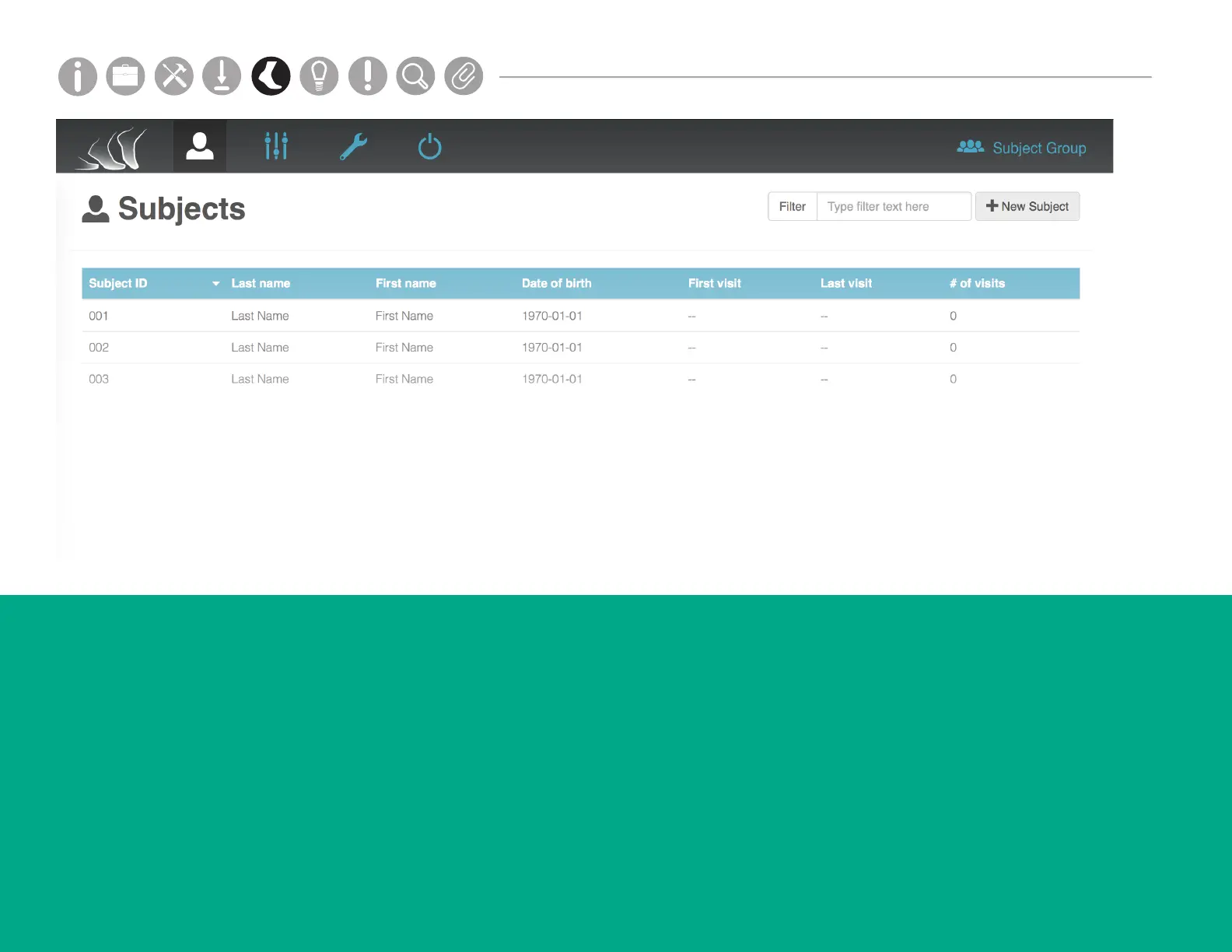
SUBJECTS
The Subjects tab shows all of the test subjects in
your Mobility Lab system for a selected subject
group.
Adding a Subject
Click on the “+New Subject” button on the top
right of your screen. Fill in the required elds
and click Save.
Running a Test
Click on the subject you wish to test. Click on the “New
Test” button on the top right of your screen.
Finishing a Test Sequence
Click on the subject you wish to test. Click on the
red “bell” icon to the right of an unnished test
sequence. This option will be active for 24 hours after
the sequence is started.
Parts
Setup M.L. How to
M.L. Software Download Troubleshooting
Hardware Cong
Tech Stats/Info
Parts
Setup M.L. How to
M.L. Software Download Troubleshooting
Hardware Cong
Tech Stats/Info
Parts
Setup M.L. How to
M.L. Software Download Troubleshooting
Hardware Cong
Tech Stats/Info
Parts
Setup M.L. How to
M.L. Software Download Troubleshooting
Hardware Cong
Tech Stats/Info
Parts
Setup M.L. How to
M.L. Software Download Troubleshooting
Hardware Cong
Tech Stats/Info
Parts
Setup M.L. How to
M.L. Software Download Troubleshooting
Hardware Cong
Tech Stats/Info
Parts
Setup M.L. How to
M.L. Software Download Troubleshooting
Hardware Cong
Tech Stats/Info



 To Next Page