26
TEST RESULTS WINDOW
Parts
Setup M.L. How to
M.L. Software Download Troubleshooting
Hardware Cong
Tech Stats/Info
Parts
Setup M.L. How to
M.L. Software Download Troubleshooting
Hardware Cong
Tech Stats/Info
Parts
Setup M.L. How to
M.L. Software Download Troubleshooting
Hardware Cong
Tech Stats/Info
Parts
Setup M.L. How to
M.L. Software Download Troubleshooting
Hardware Cong
Tech Stats/Info
Parts
Setup M.L. How to
M.L. Software Download Troubleshooting
Hardware Cong
Tech Stats/Info
Parts
Setup M.L. How to
M.L. Software Download Troubleshooting
Hardware Cong
Tech Stats/Info
Parts
Setup M.L. How to
M.L. Software Download Troubleshooting
Hardware Cong
Tech Stats/Info
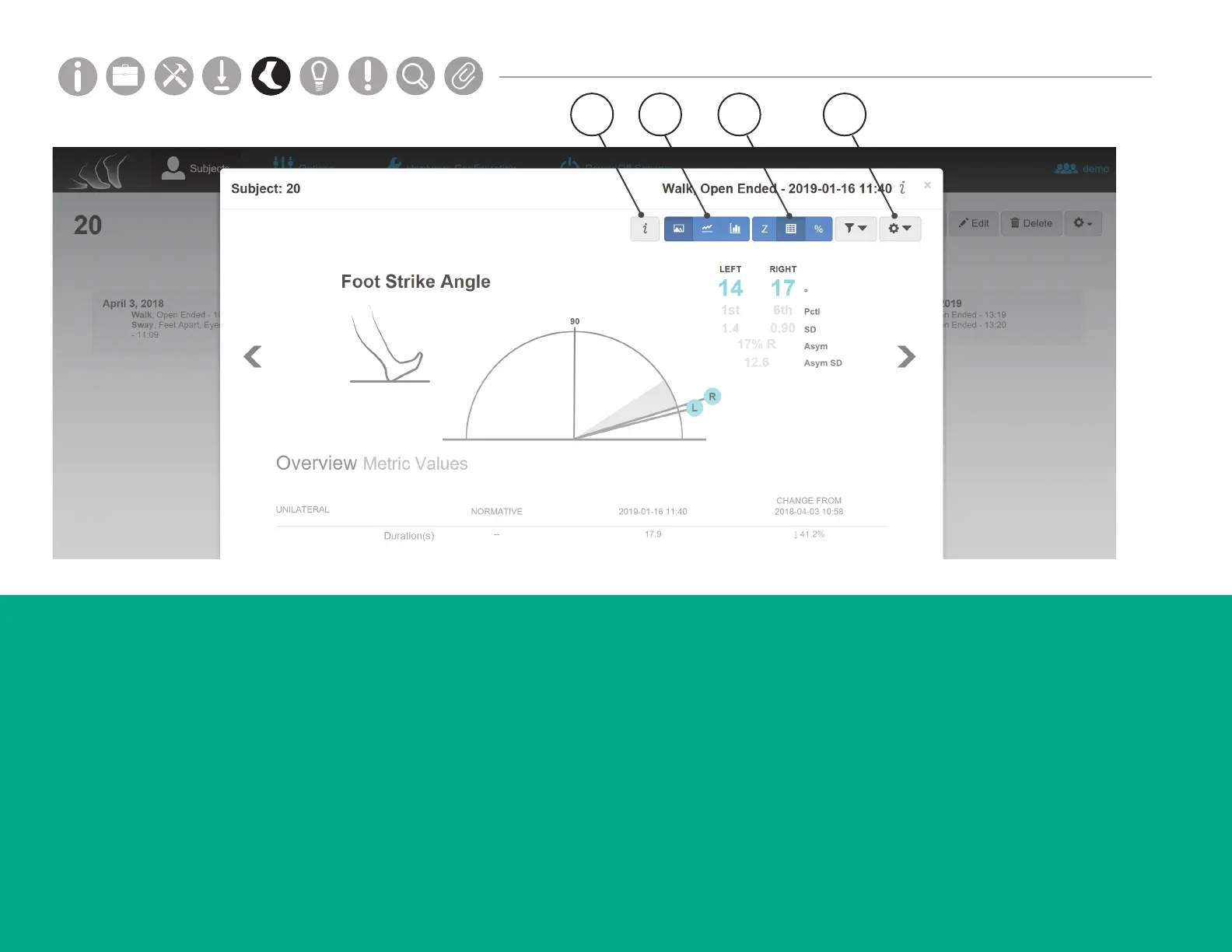
1. Information Key
The Information Key shows denitions for each
metric, and information on how to read each
graph.
2. Visualization Options
The Visualization Options show the data graph
in dierent formats for a selected test, including
detail view, drill-down, and longitudinal views
with option to Filter by condition, sequence or day.
3. Report Table Options
The Report Table Options include Z-Score, Metric
Values and Percentiles.
4. Tools Dropdown
The Tools Dropdown allows you to edit
displayed metrics, access print view, export
trial data, delete a test, and more.
Norms (shown in grey) are collected progressively from
third party institutions. For more information, visit support.
apdm.com.
1 2 43



 To Next Page