B. How to Start Recording
If the Dash Cam has been successfully installed in the car, it will
automatically turn on and start recording when the engine starts (for
most cars on the market).
If your Dash Cam does not automatically start and start recording
when the engine starts (this usually depends on your car model),
please press the POWER/OK button to turn on the camera manually.
Then press this button again to start recording.
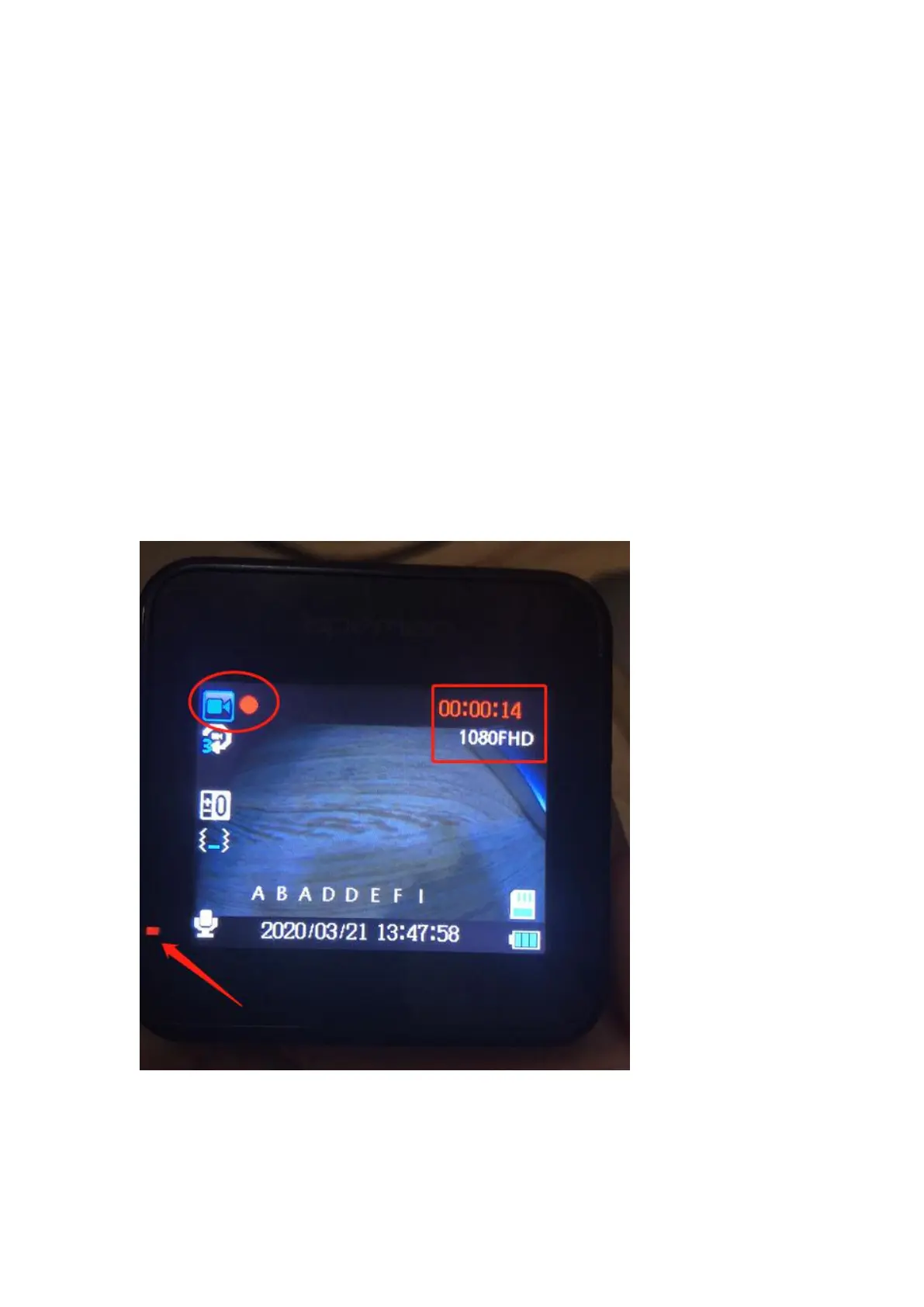
When the Dash Cam is recording, REC Light in the bottom left corner
of the camera flashes, and a flashing Red Dot appears in the upper left
corner of the screen. As shown below.
C. How to change Display Mode
When the Dash Cam is recording, press the UP button ( this is a
shortcut in this state) to switch between these mode “Picture in



 To Next Page