Part 2: How to format SD Card on PC?
Before using the camera,
1. Please charge the camera first for about 2 hours in your car by the original car
charger before use.
2. This camera supports a class 10 Max128GB SD card. Please set the card to
FAT32 format on the computer and format it again on the camera before use.
(PS: You can try exFat or other format on the computer if there is not FAT32
option. )
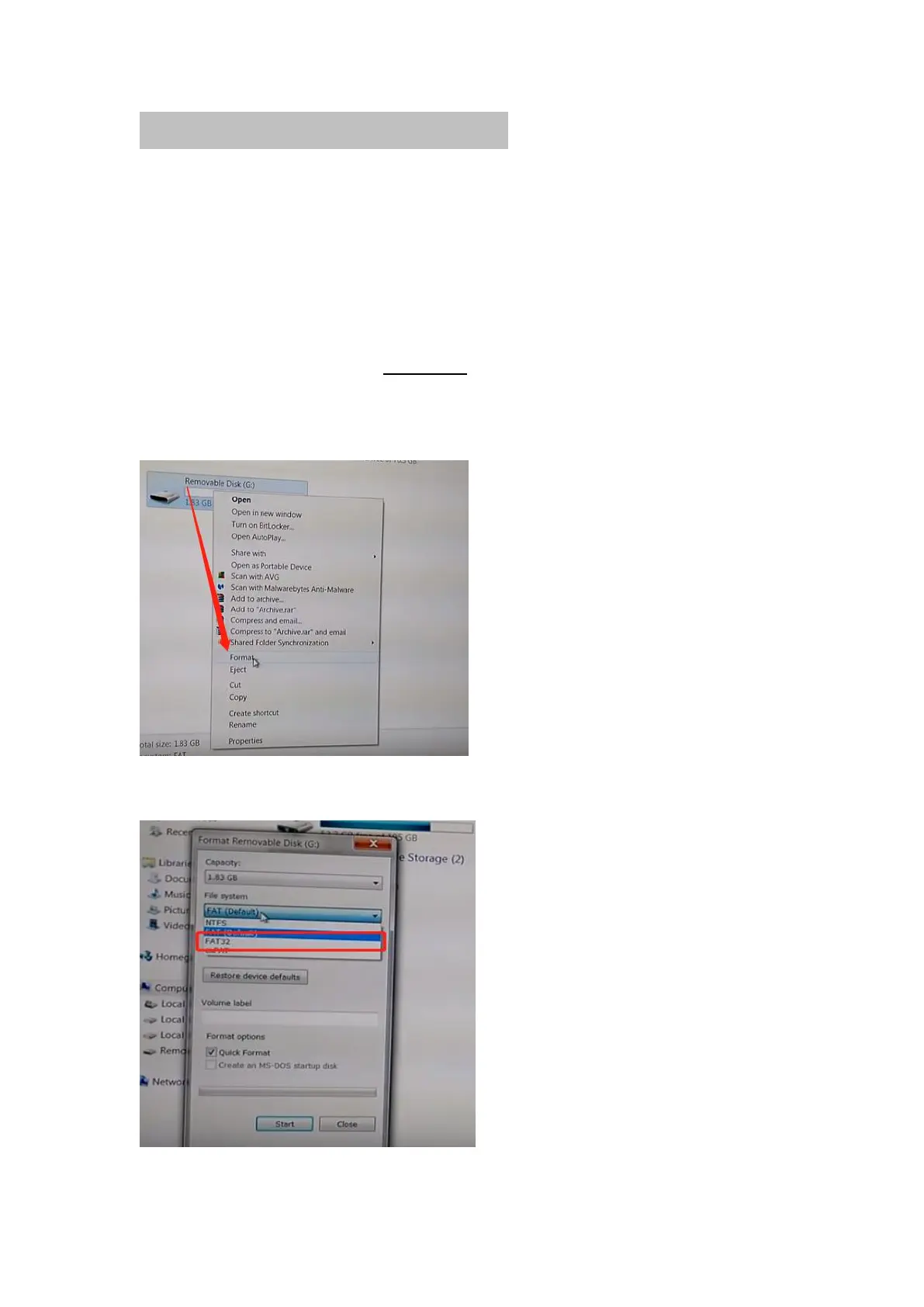
A: How to format SD card on computer:
① Please connect the SD card to the computer by a card reader,or your
computer has slot.
② Please click the right mount button once and then click “Format”.
③ Please click “FAT32” to finish the format.



 To Next Page