
 Need help?
Do you have a question about the Apex Digital DRX-9000 and is the answer not in the manual?
Explains safety symbols, critical warnings, and important cautions for product use.
Details compliance with FCC regulations regarding radio frequency energy emissions.
Section for recording model and serial number for future reference and support.
Lists essential safety guidelines for product operation, maintenance, and environmental concerns.
Overview of the DVD player and recorder functionalities and unique features.
Instructions for checking package contents and identifying components upon delivery.
Guidelines for optimal unit placement and tips for maintaining clear picture quality.
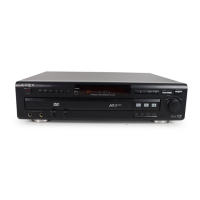
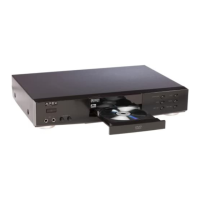
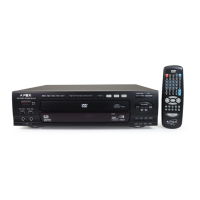
Identifies buttons, indicators, and ports on the player's front and rear panels.
Details the purpose and operation of each button on the remote control.
Shows how to connect for Dolby Pro Logic Surround and Digital Stereo sound output.
Illustrates connections for composite, S-video, and component video outputs.
Explains how to connect TV tuner and external AV sources to the recorder.
Explains the MP3 audio file format and its use for internet music playback.
Details the benefits of progressive scan video for sharper images and reduced artifacts.
Step-by-step guide to playing standard DVD video discs.
Instructions for playing recordable DVD+RW and DVD+R discs using index pictures.
Explains various playback controls like fast forward, pause, slow motion, and repeat modes.
How to select specific titles using the on-screen title menu.
Method for directly accessing specific titles, chapters, or playback times using the GOTO function.
How to set repeat playback for titles, chapters, or tracks.
How to set a specific segment for continuous playback.
Guide to playing disc content, titles, chapters, or tracks in a random sequence.
How to select different camera views for scenes recorded with multiple angles.
How to choose preferred audio tracks and languages for playback.
How to set up and play back custom sequences of titles and chapters.
Instructions for showing, hiding, or turning off subtitles during playback.
How to view current title, chapter, elapsed, and remaining time on the TV screen.
How to restrict content based on parental rating levels.
Steps to modify or reset the parental control password.
Guide to accessing and using the player's general setup menu options.
How to set the system's current date and time.
How to scan and tune TV channels for recording.
Standard procedure for recording TV programs onto a disc.
Quick recording method with automatic stop after a set time.
How to schedule recordings in advance using the timer function.
How to manage titles, chapters, and add chapter markers.
Operations like finalization, title deletion, and disc erasing.
Details power, dimensions, mass, signal system, and laser type.
Lists all items included in the product package.
Provides solutions for frequent operational problems and symptoms.
Outlines what is covered and not covered by the product warranty.
Details on obtaining service and ordering parts or accessories.
Lists compatible DVD+R discs and recommended write speeds.
Lists compatible DVD+RW discs and recommended write speeds.
 General
| Type | DVD Player |
|---|---|
| Video Output | Composite, S-Video, Component |
| Remote Control | Yes |
| Power Supply | AC 120V, 60Hz |
| Disc Formats | DVD, CD |
| Audio Output | Stereo, Dolby Digital |
| Supported Media | DVD, CD, MP3 |
| Region Code | Region 1 |



 To Next Page