
 Need help?
Do you have a question about the Apex Digital AD1118 and is the answer not in the manual?
Covers essential safety guidelines for operation, installation, and maintenance to prevent hazards.
Warnings and instructions related to laser radiation and electrical shock risks.
Advice on placement, ventilation, cleaning, and avoiding moisture or heat.
Steps to resolve potential radio or television reception interference.
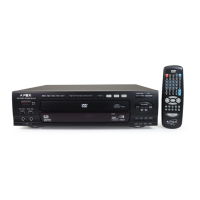
Lists all components included with the Apex Digital AD 1118 DVD Player.
Guidelines for handling and maintaining DVD discs to prevent damage.
Initial setup steps including unpacking, reading manuals, and connecting the player.
Instructions on how to properly insert AAA batteries into the remote control.
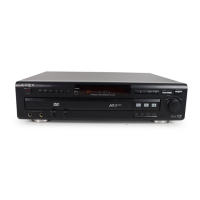
Diagram and labels for buttons and indicators on the front of the player.
Diagram and labels for input/output ports on the back of the player.
Connecting the player to a TV using composite video and stereo audio cables.
Connecting the player using an S-Video cable for improved picture quality.
Connecting the player with component video (Y, Pb, Pr) for optimal HDTV/EDTV picture quality.
Connecting to an amplifier with a coaxial digital input for stereo sound.
Connecting to a Dolby Digital receiver for surround sound experience.
Steps to power on the DVD player and its standby mode.
Instructions for turning on the TV and selecting the correct input source.
Procedure for opening the disc tray, inserting a disc, and initiating playback.
How to open and close the disc tray using the remote or front panel button.
Detailed explanation of play, pause, step, and stop controls for disc playback.
Using buttons to skip to the next or previous chapter/track.
Using buttons to rapidly search forward or backward through disc content.
Engaging slow motion playback and adjusting the speed.
Navigating and selecting options within the DVD movie menu.
Accessing and interpreting the On Screen Display for playback information.
Navigating the DVD disc's main menu and title menu.
Directly accessing specific titles, chapters, tracks, or time points on a DVD.
Setting repeat modes for chapters, titles, or entire discs.
Repeating a specific section of playback between points A and B.
Using the numeric keypad for direct access and programming features.
Selecting different camera angles for scenes on compatible DVD discs.
Switching between interlaced and progressive scan video output modes.
Choosing from available subtitle languages on multi-subtitle DVDs.
Selecting preferred audio languages for multi-language soundtracks.
Adjusting playback to fit standard 4:3 TVs from widescreen DVDs.
Enlarging the picture during playback, with options to navigate the zoomed area.
Temporarily turning the audio output on or off.
Adjusting the audio volume level using the remote control.
Playing tracks or chapters in a random, non-specific order.
Viewing digital photo files from Kodak Picture CDs or JPEGs.
Configuring OSD, subtitle, audio, and DVD menu languages.
Setting the video output mode based on TV connection type.
Configuring aspect ratio settings (Letter Box, Pan Scan, Widescreen) for the TV.
Setting digital and analog audio output modes.
Setting content rating limits and parental lock levels with a password.
 General
| Type | DVD player |
|---|---|
| Remote Control | Yes |
| Disc format | DVD, CD |
| Supported Media Formats | JPEG, MP3 |
| Video Output | Composite video, S-Video |
| Audio Output | Stereo audio |
| Power Supply | AC 120V, 60Hz |
| Region Code | Region 1 (USA, Canada) |




 To Next Page