7 8
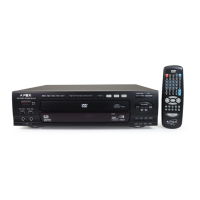
Remote Control Overview Front & Rear Panel Overview
Important:
Certain features of this DVD player may not operate if the disc does not
support the feature, or requires special settings.
Check the feature content printed on the disc's packaging.
**NOTE:
The remote control transmits a directional infrared beam. Be sure to aim the remote control directly at the infrared sensor
during operation. When the sensor is covered or there is a large object between the remote control and the sensor will
not receive a signal. The sensor may not be able to receive signals properly when it is exposed to direct sunlight or
strong artificial light (such as a fluorescent or strobe light). In this case, change the direction of the light or reposition the
unit to avoid direct lighting.
Standby (Turn player on/off after engaging
power button on unit) p12
Numeric Entry Pad p16,17
Skip Forward p13
Skip Backward p13
Direction Keys p12,14,16,18,19,22,23
Enter/Play p12,13,14,16,18,22,23,24
Stop p13,18
Menu p15
Setup p23,24
Audio p18
Resume
Program p25
Shuffle p20
I/P (S-Video/Interlace/Progressive Scan) p9,18
Angle p17,22
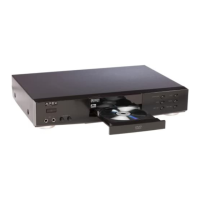
Disc Tray Open/Close p12,13
Volume Adjust +/- p20
Repeat p16
Mute p19
A-B Repeat p17
Search Bacward p14
Search Forward p14
Pause/Step p13
Title p15
Slow p14
Display p15
AFF p19
GoTo p15,16
Clear p15
Zoom p19
Subtitle p18
1
2
3
4
5
6
7
8
9
10
11
12
13
14
15
16
17
18
19
20
21
22
23
24
25
26
27
28
29
30
31
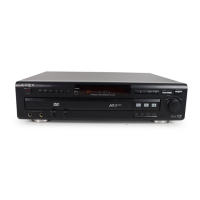
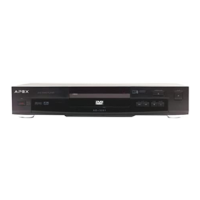
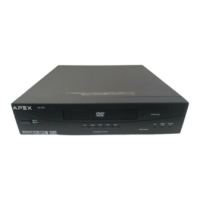
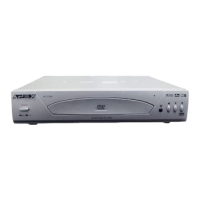
Front Panel View
Rear Panel View
IR Sensor
Standby
Disc Tray
S-Video
Output
Progressive Scan
(Component
Video) Outputs
Y Pb Pr
Composite Video
Output
Analog /Down
Mix Audio
2 channel L/R
Coaxial Digital Output
1
16
17
18
20
21
22
23
24
25
26
27
28
29
30
2
3
5
8
9
10
11
12
13
14
Previous Next
Open/Close
Play/
Pause
Stop
4
6
7
15
31
19
Power Indicator light



 To Next Page
 Loading...