EasyManua.ls Logo

Apex Digital PD-480 - User Manual

Default Icon
34 pages
Print Icon
To Next Page IconTo Next Page
Loading...
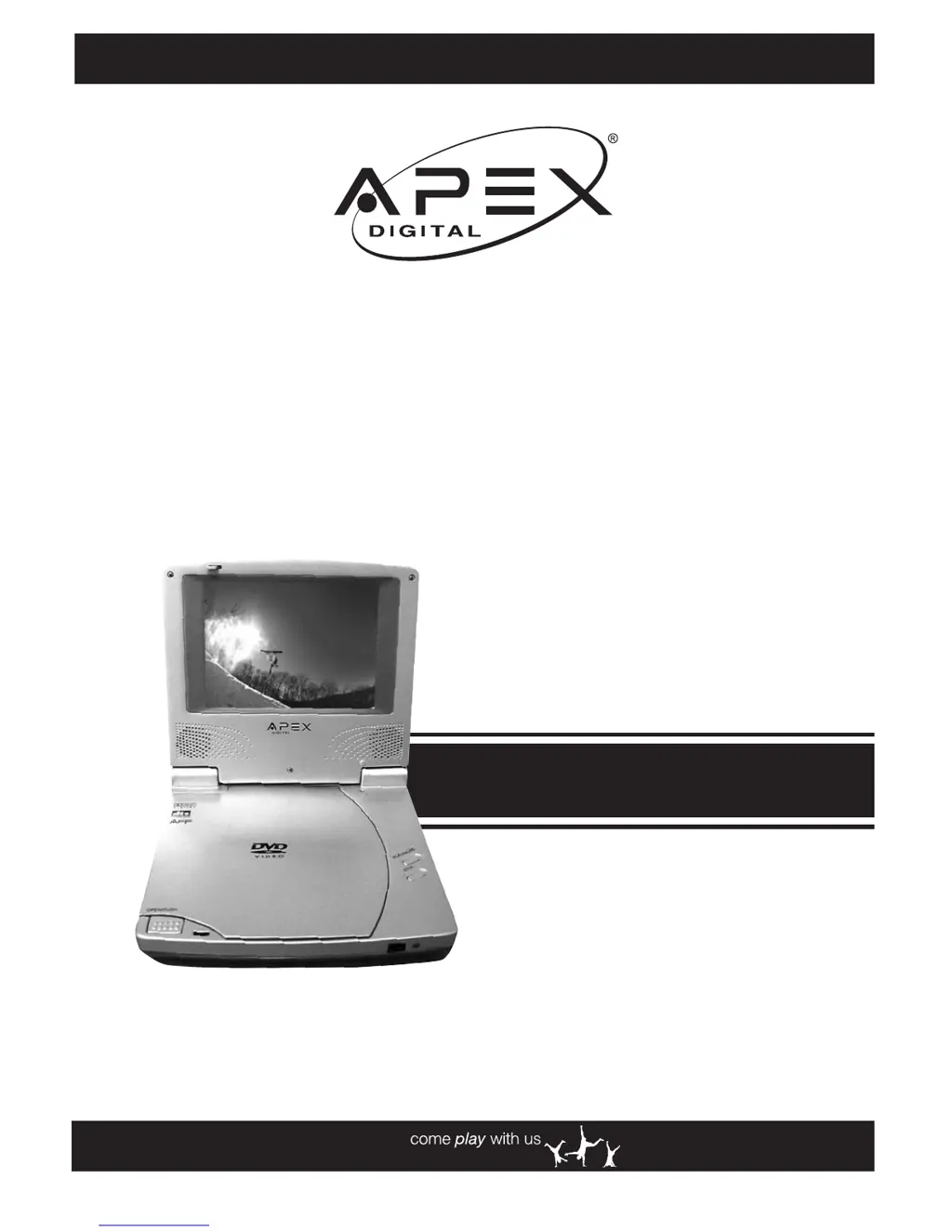
PD-480
Portable
DVD Player
User Manual
Playable Disk Format:
DVD/CD/CD-R/CD-RW
www.apexdigitalinc.com

Table of Contents

Questions and Answers

  • J
    Jesse WatsonAug 21, 2025
    Why my Apex Digital Portable DVD Player does not start playback when PLAY is pressed?
    • Y
      ydudleyAug 21, 2025
      If your Apex Digital Portable DVD Player is not playing when you press PLAY, condensation may have formed inside the player. If this is the case, wait about 1 to 2 hours to allow the player to dry out. Ensure that you are using a compatible disc: this player can only play DVDs and audio CDs. Check if the disc is defective by trying another disc. Also, verify the region code and make sure the disc is not upside down in the tray.
  • S
    seanmackSep 3, 2025
    Why audio soundtrack and/or subtitle language is not the one selected at the initial settings on Apex Digital PD-480 Portable DVD Player?
    • D
      Donald PorterSep 3, 2025
      If the audio soundtrack or subtitle language is not the one you selected in the initial settings on your Apex Digital Portable DVD Player, it may be because that language does not exist on the disc.
  • S
    Sarah CampbellSep 1, 2025
    How to troubleshoot no sound on Apex Digital PD-480 Portable DVD Player?
    • G
      Gregory FullerSep 1, 2025
      If your Apex Digital Portable DVD Player has no sound, ensure all equipment is properly and firmly connected into the jacks. If you're using a HiFi amplifier, try another sound source. Check the Audio Output Setting menu to ensure that Analog Output is selected. Finally, check the volume adjustment.
  • K
    Kerry GarrettAug 30, 2025
    What to do if Apex Digital Portable DVD Player starts playback but stops immediately?
    • J
      Julie BrennanAug 31, 2025
      If your Apex Digital Portable DVD Player starts playback but stops immediately, the disc may be dirty and require cleaning. Ensure that the disc is installed with the label side facing up.
  • B
    Beth WilsonAug 29, 2025
    Why is there no picture on my Apex Digital Portable DVD Player?
    • C
      Cindy HarrisAug 29, 2025
      If your Apex Digital Portable DVD Player has no picture, ensure all equipment is properly connected. Verify that the input setting on your TV is set to “Video.” Check that any external equipment is powered on. Select the same channel and source on your TV as on the player, and ensure the LCD screen is on.
  • T
    teresacollinsAug 27, 2025
    I forgot my password for parental control on Apex Digital Portable DVD Player. What to do?
    • L
      Lisa RuizAug 27, 2025
      If you've forgotten your password for the parental control on your Apex Digital Portable DVD Player, enter the overriding password: 3308.
  • P
    Patrick BenjaminAug 26, 2025
    What to do if the remote control is not working with my Apex Digital PD-480?
    • H
      hallfrankAug 27, 2025
      If your Apex Digital Portable DVD Player is not responding to the remote control, first, ensure the batteries are correctly installed with the proper polarity (+ and -). If they are, try replacing them with new batteries. Make sure you are pointing the remote directly at the signal sensor on the player, and that you are within 6 meters of the player, with no obstructions blocking the signal.
  • C
    Christopher JohnsonAug 25, 2025
    How to fix no power on my Apex Digital Portable DVD Player?
    • B
      Billy FernandezAug 25, 2025
      If your Apex Digital Portable DVD Player has no power, ensure the power plug is securely inserted into the outlet. Also, check that the ON/OFF button on the right side of the player is switched to the 'on' position. Test the AC outlet by plugging in another appliance. If the issue persists, try recharging the battery.
  • G
    grodriguezAug 23, 2025
    Why PLAY does not start playback even when title is selected on Apex Digital Portable DVD Player?
    • J
      Jennifer RomeroAug 23, 2025
      If PLAY does not start playback even when a title is selected on your Apex Digital Portable DVD Player, it may be due to the parental lock function being enabled. Confirm the parental settings in the setup menu.

Summary

FCC and Safety Information

Important Safety Instructions

Precautions

Getting to Know Your Portable DVD Player

Remote Control Diagram

Detailed diagram of the remote control with all buttons labeled.

Quick Operation Guide

Quick Operation

Step-by-step instructions for initial setup and basic operation of the DVD player.

Connecting External Equipment

Guide on connecting the DVD player to external audio/video devices like TVs or amplifiers.

Basic Playback Steps

Instructions for turning on the player, loading a disc, and starting playback.

Using the Battery Pack

Charging the Battery Pack

Instructions on how to charge the internal battery pack using the AC adapter.

DVD Playback

Stopping Playback and Returning to Menu

How to stop playback and return to the disc's menu screen if available.

Skipping Chapters

Instructions for skipping to the next or previous chapter on a DVD.

Repeat Viewing

How to set the player to repeat a chapter, title, or the entire disc.

Convenient Functions

Audio CD Playback

Basic Playback

Step-by-step guide for playing an Audio CD.

Rapid Advance and Reverse

Methods for fast forwarding or rewinding through an Audio CD track.

Setup

Language Setup

How to set preferred languages for OSD, subtitles, audio, and DVD menus.

Video Setup: TV Aspect Ratio

How to select the TV aspect ratio (4:3 PS, 4:3 LB, 16:9) for optimal viewing.

Custom Setup: Parental Control

How to set parental controls to restrict viewing based on rating.

Custom Setup: Password Setting

How to change or set a password for parental control features.

Custom Setup: Load Factory Settings

How to reset the player to its original factory default settings.

Troubleshooting Guide

Disc Handling and Maintenance

Handling Precautions

Guidelines for handling discs to prevent damage and ensure proper playback.

Specifications

Apex Digital PD-480 Specifications

General IconGeneral
BrandApex Digital
ModelPD-480
CategoryPortable DVD Player
LanguageEnglish

Related product manuals