
 Need help?
Do you have a question about the Apex Digital UV4060 and is the answer not in the manual?
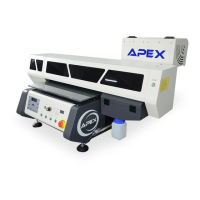
Provides an overview of the machine's structure and essential components.
Details machine specifications and installation prerequisites.
Provides essential guidelines and precautions for operating the machine.
Explains the key components and assemblies of the printer.
Explains the function and components of the carriage assembly.
Details the print head, its maintenance, and nozzle check procedures.
Describes the damper's role in ink supply and stock.
Explains the encoder strip's function in carriage movement control.
Details the capping system for ink supply and print head maintenance.
Explains the servo control system for precise movement.
Describes the main circuit boards of the printer.
Details the LED UV lamp and its power supply control.
Explains the linear guideways for smooth movement.
Describes the auto height sensor for nozzle adjustment.
Guide to installing the ink supply system components.
Instructions for installing ink tubes correctly.
Procedure for adding ink to the ink bottles.
Details on powering the ink supply system.
Steps for pumping ink from bottles to dampers.
Basic operations and controls for the printing platform.
Basic operations and controls for the printing platform.
Guide to configuring settings via the control panel.
How to set the printing starting location (origin).
Configuration for the print head's direction.
Adjusting print quality parameters like Eclosion.
Procedure for automatic cleaning of printer nozzles.
How to print test strips to check nozzle function.
Steps for bi-direction adjustment for print quality.
Instructions for installing printer drivers and related software.
Instructions for installing 64-bit printer drivers.
Accessing and using the driver's engineering mode.
Guide to installing the Photoprint RIP software.
Steps to copy ICC profiles to the correct folder.
Guide to using the PhotoPRINT software and its features.
Configuring job properties, size, position, and quantity.
Procedures for cleaning and storing the print head.
 General
| Brand | Apex Digital |
|---|---|
| Model | UV4060 |
| Category | Printer |
| Language | English |

 To Next Page