2
A1 INSTALLATION GUIDE
Mechanical Installation
Select the place of installation from a safe, dry and mechanically protected area. Avoid installation to places
of direct sunlight and extreme temperature.
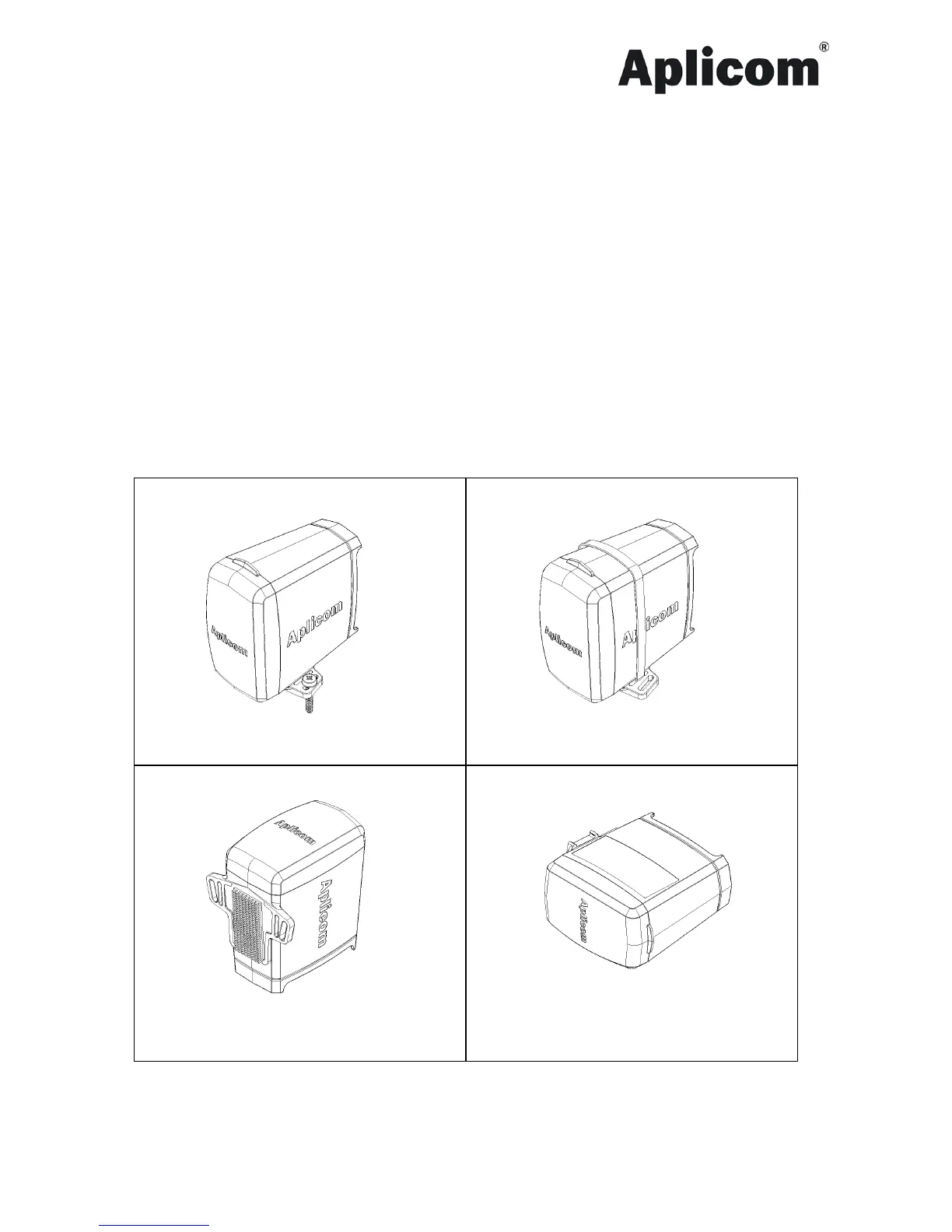
There are two mounting lugs on the sides of the A1 device cover. Install the A1 device using both of the
mounting lugs in one of these ways (see figures below).
1. With the Screws. Put the screws through the outer openings. Figure 1.
2. With the Cable tie. Put the cable tie through the inner openings. Figure 2.
3. With the Reclosable dual lock fastener. Attach another half of the fastener to the bottom of A1 device.
Figure 3.
4. Installation on its broadside, consider the following instructions. Figure 4.
• Use side-cutting pliers to remove mounting lugs.
• Attach the device with the reclosable dual lock fastener. Attach the fastener to the logo side
of the device. Device information must not be damaged or be hidden.


 To Next Page