Réf : 100042
Manuel utilisation / User guide
IMPORTANT NOTICES
Read the instructions carefully before first use. Keep the manual in a safe
place for future consultation. When passing the product to another person,
be sure to include this manual.
• Keep the product out of the reach of children.
• Do not expose it to rain, liquids or moisture.
• Avoid dropping it, do not expose it to strong shocks.
• Do not clean with solvents or alcohol-based cleaners.
• Do not use in extremely hot, cold and dusty places.
• Do not place heavy objects on the product.
• Do not disassemble the product. For any operating problem, contact
only qualified personnel.
• Do not put the nano receiver to stay with any Bluetooth dongle
together.
• Remember to throw away the old batteries to the waste battery
recycle bin only.
• When the keyboard or mouse do not work smoothly, perhaps
battery’s low, please consider to change to new batteries instead.
INSTALLATION
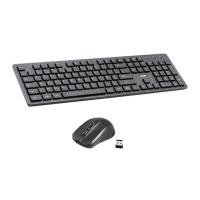
Turn on your computer / MAC and plug the USB (nano) receiver into the USB-
A port. Put the AAA battery into the slot of keyboard. Then it will be
functional in a few seconds.
Attention:
- The nano receiver is stored under the mouse in the battery
compartment.
- The nano receiver serves both the keyboard ans the mouse
- The nano receiver is specific to each keyboard / mouse, in case of
loss, the keyboard / mouse will no longer be usable.


 To Next Page