8
Indicators and Controls
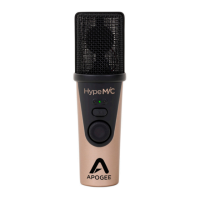
Apogee HypeMiC
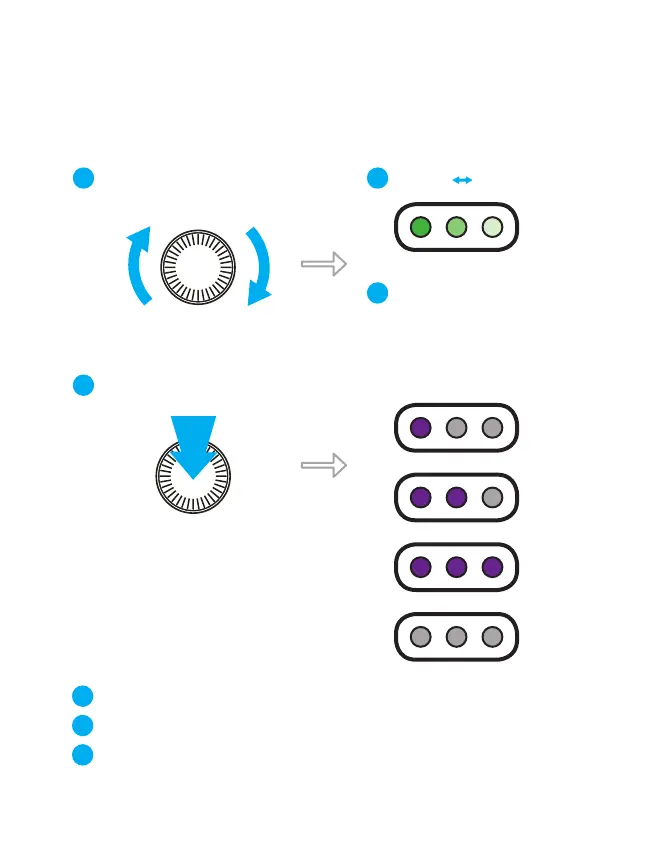
Input Gain Knob
Turn Input Gain knob to adjust
input signal level
1
Less Gain More Gain
2
LEDs progressively light green to
indicate the signal strength
3
TURN
Push Gain knob to toggle Hype Mode settings
Shape - Subtle/smooth setting that makes a great starting point
Squeeze - Intermediate setting that adds excitement and warmth
Smash - Extreme coloration ideal for spoken word, radio broadcast/podcasting
4
PUSH
Shape
Squeeze
Smash
O
5
6
7


 To Next Page