EasyManua.ls Logo

Apogee Jam+ - User Manual

Apogee Jam+
9 pages
Print Icon
To Next Page IconTo Next Page
Loading...
Quick Start Guide
For iOS, macOS and Windows
Question and Answer IconNeed help?

Do you have a question about the Apogee Jam+ and is the answer not in the manual?

Summary

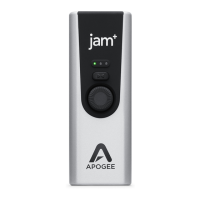
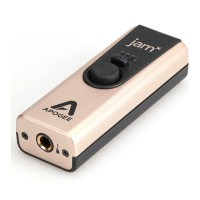
Product Tour Apogee Jam+

Headphone Blend Control

Adjusts headphone mix for low latency monitoring.

Input Gain Knob

Adjusts input gain and selects Overdrive/Clean modes.

Status & Input Level Indicator LEDs

Single Green LED Status

Indicates connected and operating with software.

Green LEDs - Clean Mode

Shows audio level meter with Clean mode active.

Green;Orange LEDs - Approaching Max Input

Indicates input level approaching maximum.

Red LED - Input Overload

Signals input overload; gain reduction recommended.

Orange LEDs - Overdrive Mode

Shows audio level meter with Overdrive mode active.

White LED - Blend Mode

Indicates Blend is active, returning to input level.

Connecting to Computer;iOS

Connect the Cable

Connect the Jam+ to your computer or iOS device.

Indicators and Controls Overview

Blend Control Button

Summary

Product Tour Apogee Jam+

Headphone Blend Control

Adjusts headphone mix for low latency monitoring.

Input Gain Knob

Adjusts input gain and selects Overdrive/Clean modes.

Status & Input Level Indicator LEDs

Single Green LED Status

Indicates connected and operating with software.

Green LEDs - Clean Mode

Shows audio level meter with Clean mode active.

Green;Orange LEDs - Approaching Max Input

Indicates input level approaching maximum.

Red LED - Input Overload

Signals input overload; gain reduction recommended.

Orange LEDs - Overdrive Mode

Shows audio level meter with Overdrive mode active.

White LED - Blend Mode

Indicates Blend is active, returning to input level.

Connecting to Computer;iOS

Connect the Cable

Connect the Jam+ to your computer or iOS device.

Indicators and Controls Overview

Blend Control Button

Apogee Jam+ Specifications

General IconGeneral
Connection TypeUSB
Resolution24-bit/96kHz
CompatibilityiOS, macOS, Windows
Input1 x 1/4" Instrument
Power SourceUSB Bus Powered
Output1 x 1/8" Headphone
Weight4.8 oz (136 g)

Related product manuals