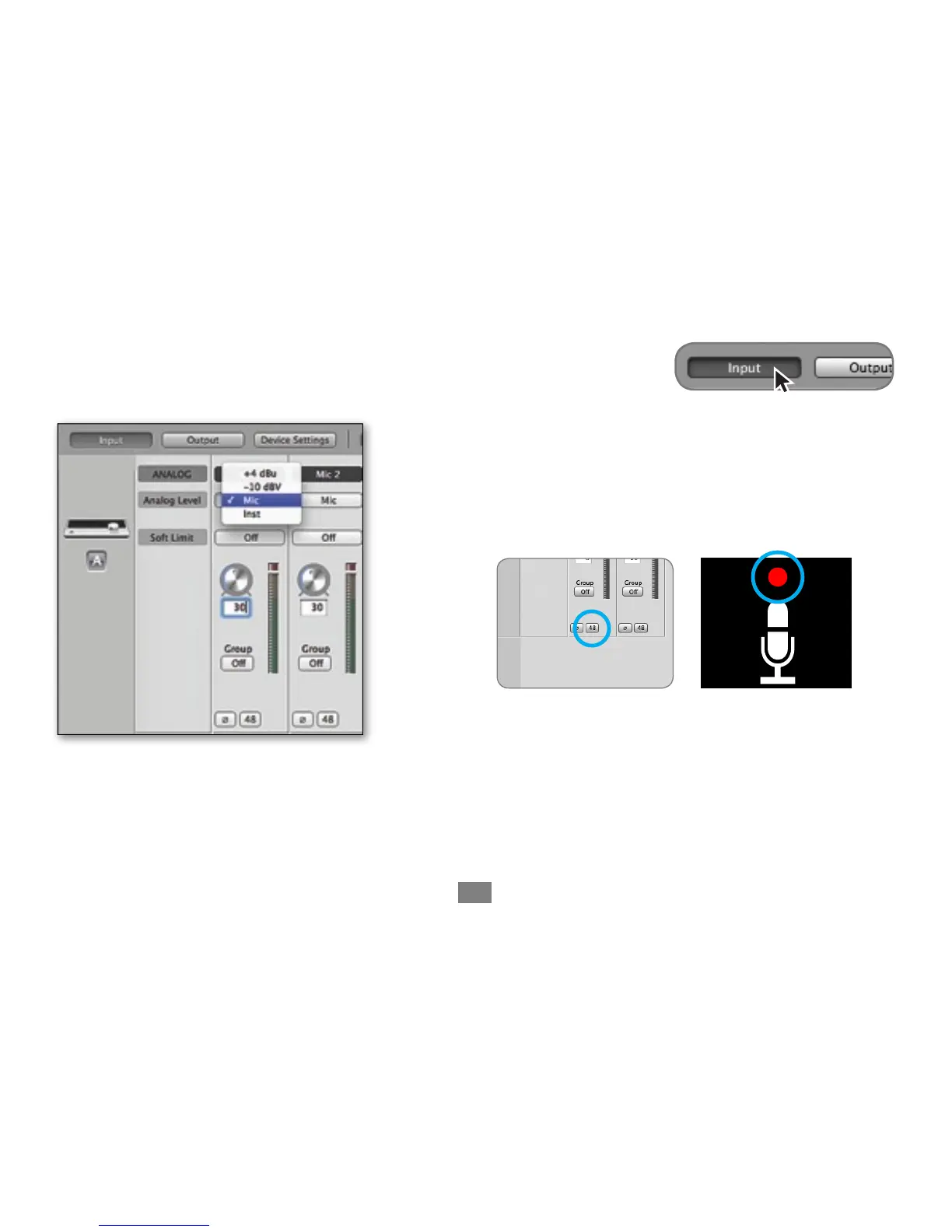
Open Apogee Maestro software (found in your Mac’s Applications folder), and
select the Input tab.
Select the Analog Level setting that corresponds to
the device you have connected to Quartet’s input(s). For example, if
you have an XLR microphone connected to input 1, select “Mic” from
the Analog Level menu on channel 1. If you have a 1/4” instrument
connected to the input, then select “Inst”
Note: If you are using a condenser microphone that requires phantom
! ! ! ! ! power, select the 48V box on the Input tab of the appropriate channel
! ! ! ! ! in Maestro. Phantom power is indicated on Quartet’s display by a red
! ! ! ! ! dot above the microphone icon.



 To Next Page