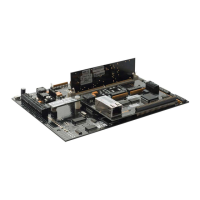
Hardware Layout Page: 11 Terminal Connectors Detailed description of the AAN-4's terminal blocks for various connections and their removal.
DIP Switches Information on DIP switch settings for configuration, including address and baud rate.
DIP Switch Function Explanation of how DIP switches control communication address, baud rate, and input monitoring.
Connectors Mentions connectors for interfacing with removable components on the AAN-4.
LEDs Information on diagnostic LEDs for monitoring panel operation and status.
Start Up Mode Describes LED behavior during the AAN-4's initial power-on and self-test sequence.
Normal Operation Explains the meaning of LED indicators during normal system operation.
Firmware Discusses firmware storage in flash memory and procedures for updating.
Memory Backup Details on-board memory for configuration and event data, with capacitor backup.
Mounting Holes Information on the physical mounting points for the AAN-4 unit.
System Wiring Page: 22 Power Specifies power requirements (12-24 VDC, 250 mA) and power supply selection criteria.
Grounding Crucial information on grounding practices for safety, ESD protection, and signal integrity.
DC Ground Definition and connection guidelines for the DC ground reference.
Safety (Earth) Ground Explanation of safety ground connections to prevent ground loops and ensure electrical safety.
Grounding System Overview of grounding subsystems and the importance of single ground return points.
Serial Comparison of RS-232 and RS-485 serial communication methods for host connectivity.
Network Description of network connectivity using the ENI-100 module via TCP/IP.
ENI-100 Details about the ENI-100 network interface module.
ENI-100 Introduction Introduction to the ENI-100's role in providing TCP/IP connectivity for the AAN-4.
ENI-100 Connectors Description of the TTL Serial Connector and RJ-45 Ethernet Jack on the ENI-100.
Card Reader Wiring Instructions for connecting various types of card readers to the AAN-4, including cable specifications.
Auxiliary Alarm Inputs Description of auxiliary alarm inputs and their potential uses for monitoring external devices.
Output Relay Wiring Information on connecting electric door strikes and other outputs using internal and external relays.
Cabinet Tamper Details the cabinet tamper input and its function in detecting unauthorized panel access.



 To Next Page
 General