RoadRunner HD™ | High Definition Mobile Recorder
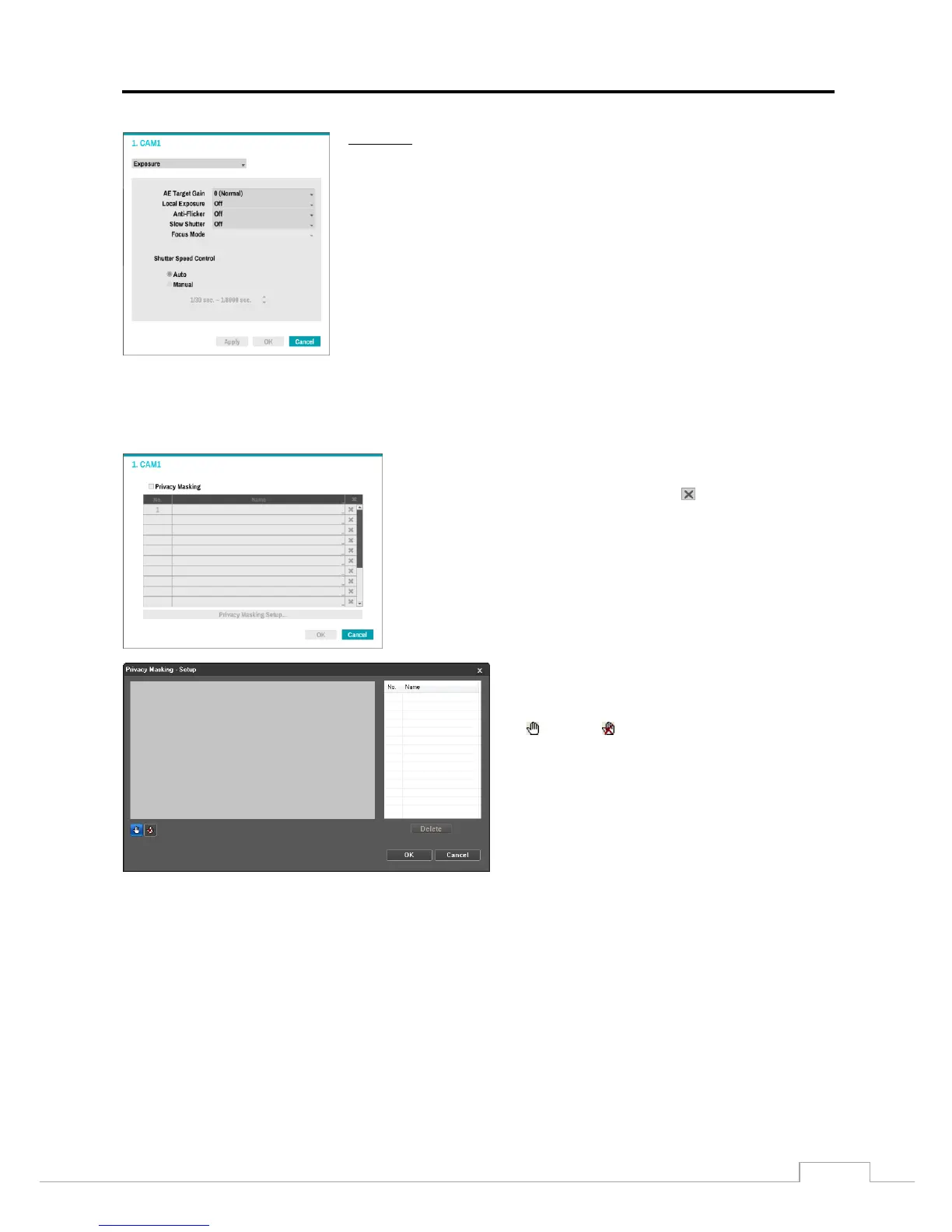
Exposure
AE Target Gain: Set the target gain for the exposure compensation.
Local Exposure: Set the local exposure.
Anti-Flicker: Set to the same frequency as the lighting when the AC power is used for
the lighting such as a fluorescent lights.
Slow Shutter: Set the slow shutter mode.
Focus mode: Select the focus mode.
Shutter Speed Control: Set the shutter speed. Select Auto to control the shutter
speed automatically.
Select Apply after setting up a camera to see images from the selected camera in a preview window.
Selecting Apply or OK displays a popup screen that indicates whether the camera has been set up
successfully or not.
Select the box under Privacy Masking allows configuration privacy masking for the camera.
Selecting Privacy Masking toggles On and Off. Select the Name box
and enter the name of the registered privacy masking areas. Up to 15
characters are allowed, including spaces. The box deletes a privacy
masking area.
Once the Privacy Masking is set to On, set up the privacy masking areas
by selecting the Privacy Masking Setup. The Privacy Masking Area
screen displays.
NOTE: Up to 16 different areas can be registered.
Set up privacy masking areas by selecting or clearing
blocks. Select a tool to use and set up privacy masking
areas by dragging the mouse.
(Select) or (Clear): Click to select or clear a block
for privacy masking.
OK: Click to accept changes and closes privacy masking
setup.
Cancel: Click to exit privacy masking setup without
saving changes.


 To Next Page