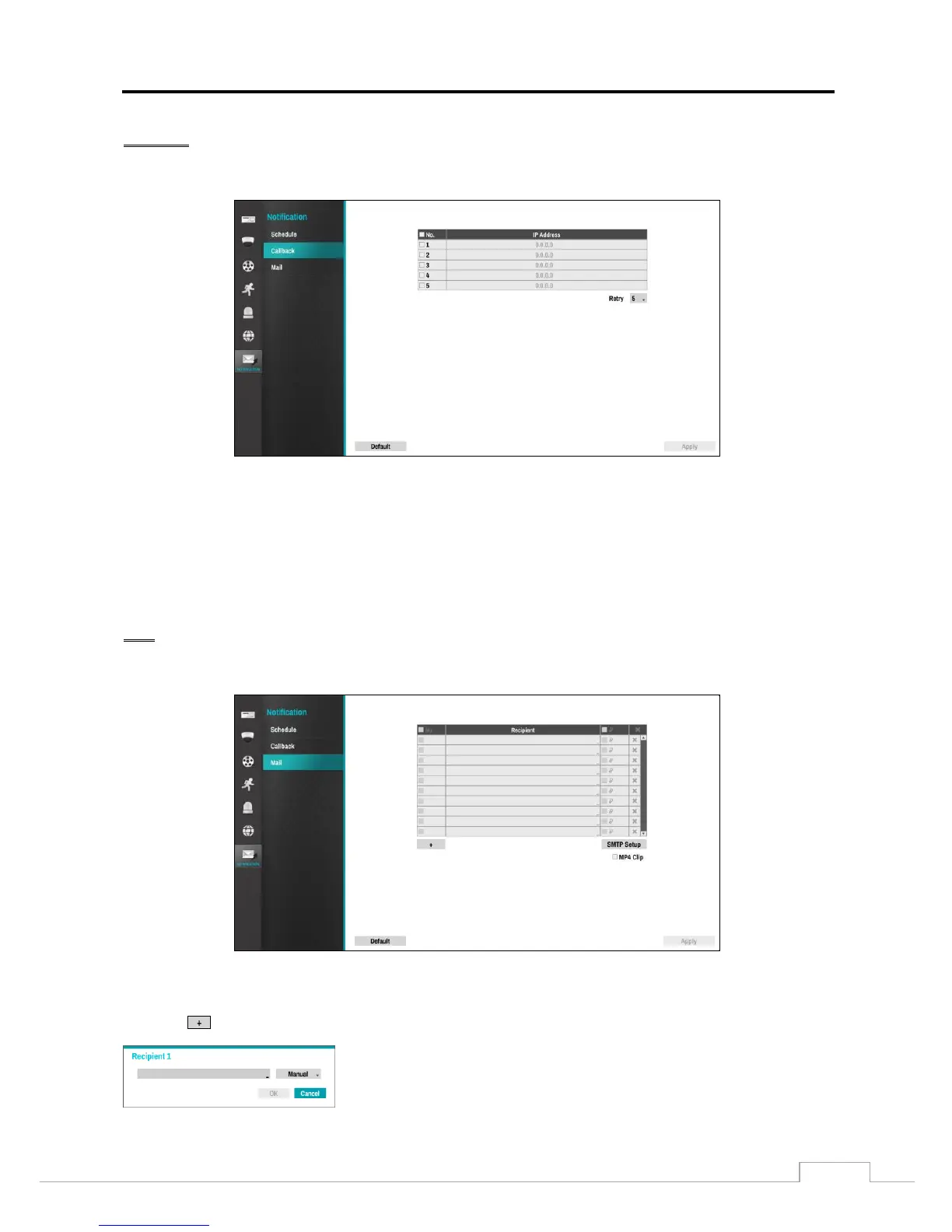
Callback
PATH: Notification menu > Callback
The Recorder can be set up to contact a computer running RsM (RoadRunner Secure Management Software) when
an event occurs. Select the box under the No. heading and toggle between On and Off. The IP addresses can be set
when the row is enabled.
Select the IP Address box t0 change and enter the IP address of the computer to contact during an event by using the
Up and Down arrows. Five IP addresses are available.
Select the box beside Retry and enter the number of times for the Recorder to try contacting the computer.
Mail
PATH: Notification menu > Mail
The Recorder can be configured to send an email when an event occurs. The Mail account can be turned On or Off by
selecting the boxes under the No. heading.
Select the to add a mail recipient.
Select the first box under Recipient and enter the recipient’s e-mail address.
Select the second box under Recipient and select between Manual and listed
SMTP mail server providers.


 To Next Page