506/506B
EN
Make Peak-Hold Measurement
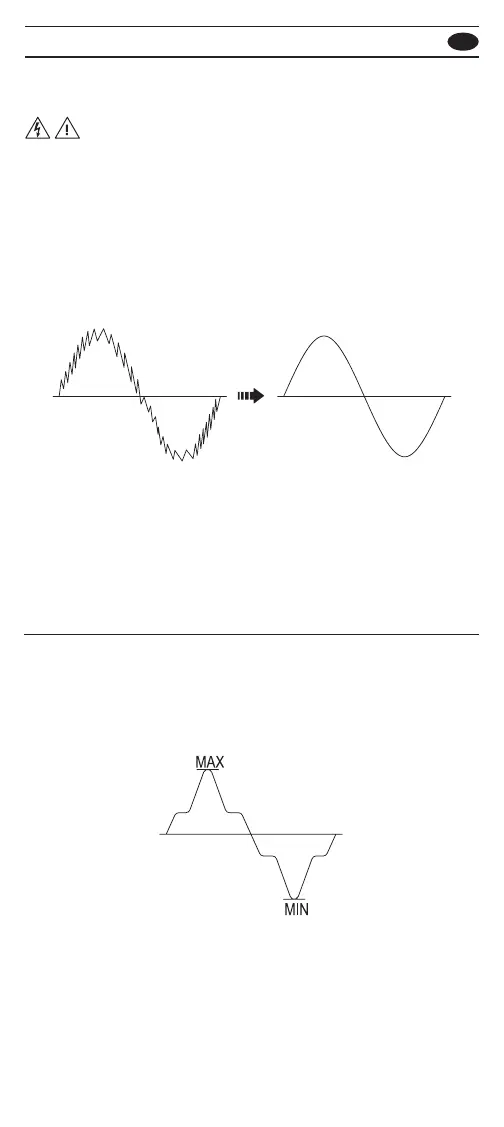
The Peak-Hold mode records wave peak maximum and
minimum input values. Response time of Peak-Hold is 10us.
To use the Peak-Hold mode, press the P-HOLD button to
enable the Peak-Hold mode in the AC or DC measurements.
In this mode, press P-HOLD button to select peak MAX or
MIN value. Press > 1 sec to disable the Peak-Hold mode.
For square wave, use the peak-hold mode in the DC
measurements.
Make High Frequency Rejection Measurement
• Do not use the High Frequency Rejection (Low Pass Filter)
option to verify the presence of hazardous voltages.
Voltages greater than what is indicated may be present.
First, make a voltage measurement without the lter to
detect the possible presence of hazardous voltage. Then
select the lter function.
The High Frequency Rejection mode equip a low pass lter
in the AC measurements. The cut-o frequency (-3dB point)
of low pass lter is 800Hz.
To use the HFR mode, press the HFR button to equip a low
pass lter in the AC measurements.
WARNING



 To Next Page