EasyManua.ls Logo

Appareo STRATUS ESG - User Manual

Appareo STRATUS ESG
9 pages
Print Icon
To Next Page IconTo Next Page
Loading...
General Install
Q: Can I use Stratus ESG’s WAAS GPS signal to feed other
avionics such as a navigator or emergency locator?
No, the WAAS GPS position is only available to the transponder for ADS-B out
purposes, and, if connected, a Stratus portable ADS-B in receiver.
Q: Can I use an existing WAAS GPS antenna with Stratus ESG?
If the antenna meets the specifications outlined in our installation
instructions and is not being used for any other avionics, then yes you can.
Must meet TSO-C144 OR TSO-C190 requirements
Q: Can I use an existing transponder antenna with Stratus ES
and Stratus ESG?
If the antenna meets the specifications outlined in our installation
instructions and is not being used for any other avionics, then yes you can.
Q: How does the resolution of a serial altitude encoder affect
its configuration with Stratus ES and Stratus ESG?
If the altitude encoder resolution is 25 ft or better (e.g. 10 ft), choose “SERIAL-
TRIM/GAR-25FT” or “SERIAL-SHAD/RMS-25FT.”
If the altitude encoder resolution is 25 ft or worse (e.g. 100 ft), choose
“SERIAL-TRIM/GAR” or “SERIAL-SHAD/RMS.”
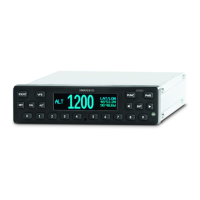
Q: What are the dimensions of Stratus ES and Stratus ESG?
Designed with the common 1.65″ tall form factor, it’s an easy replacement for
existing transponders.

Bezel Width
6.38 inches (162 mm)

Other manuals for Appareo STRATUS ESG

Questions and Answers

  • D
    Donald JohnstonSep 10, 2025
    Why is the GPS antenna signal quality reduced on my Appareo Marine Radio (Stratus ESG only)?
    • K
      kimberly03Sep 10, 2025
      If the GPS antenna signal quality is reduced on your Stratus ESG, try the following steps: * Turn off all avionics except the GPS/transponder. * Enter into configuration mode on Stratus ESG. * Go to the CN0 diagnostic screen and wait for the CN0 values to populate. * Turn on one avionic at a time.
  • A
    Aimee GarnerAug 23, 2025
    What to do if Appareo GPS altitude displayed is incorrect?
    • J
      James MillerAug 23, 2025
      If the altitude displayed on your Appareo GPS is incorrect, first enter into configuration mode on Stratus ESG and confirm that the altitude source is set correctly. If using a serial connection, verify the correct encoding option was selected. Also, ensure the correct connections are made to the transponder. Use an altitude simulator to verify the cabling and check for any issues with the altitude source itself.
  • I
    isaacnewtonAug 25, 2025
    What to do if Appareo GPS signal quality is reduced?
    • P
      Pamela SmithAug 26, 2025
      If you notice a reduced GPS signal quality on your Appareo GPS, try the following steps: first, turn off all avionics except the GPS/transponder. Then, enter into configuration mode on Stratus ESG and go to the CN0 diagnostic screen, waiting for the CN0 values to populate. Turn on one avionic at a time. If the CN0 values drop by 2 dB or more, there might be an interference problem. The avionic causing the interference might need to be relocated in the cockpit, antennas might need to be moved farther apart, or filters might need to be added to the avionic.
  • C
    Caleb Howard MDAug 27, 2025
    How to resolve Appareo GPS not receiving GPS information?
    • P
      patriciamendozaAug 27, 2025
      If your Appareo GPS isn't receiving GPS information, ensure the aircraft has a clear view of the sky. Also, check that the antenna connections and cables are not loose, and verify the coax cable is connected to the correct port.
  • F
    Fred HuffmanAug 29, 2025
    What to do if the Appareo GPS transponder is not receiving the squat switch position?
    • J
      jonathanbyrdAug 29, 2025
      If the Appareo GPS transponder isn't receiving the squat switch position, check the connections and the pin-out of the transponder to verify that the squat switch port is correctly connected. Also, verify that the squat switch works independent of the transponder.
  • D
    Dr. Misty BurnsDec 1, 2025
    What to do if the Appareo GPS display screen shows a warning message?
    • L
      Lisa SanchezDec 1, 2025
      If the display screen on your Appareo GPS shows a warning message and a degraded state indicator, it means one of the built-in tests has failed. Here's what the messages mean and what you should do: * **PRESS FUNC TO CLEAR:** A non-critical error. The GPS will work in a limited way until fixed. Contact your dealer. * **PLEASE RESTART UNIT:** A serious error. Restarting might help. If the message comes back, contact your dealer. * **PLEASE SHUTDOWN UNIT:** A critical error. Turn the unit off and leave it off. Contact your dealer. * **WAITING TO BE UNSTUCK:** A key is held down too long (over 20 seconds). Check if a key is stuck and try to release it. * **WAITING FOR RELEASE:** The external suppression input is always on. Contact your dealer. * **ATTEMPTING TO RECOVER:** A squit...
  • R
    Richard JonesSep 23, 2025
    What to do if Appareo STRATUS ESG transponder is not receiving the squat switch position?
    • A
      Anthony FloresSep 23, 2025
      If the Appareo Marine Radio transponder isn't receiving the squat switch position, check the connections and the pin-out of the transponder to verify that the squat switch port is correctly connected. Also, verify that the squat switch works independent of the transponder.
  • M
    Mark PattersonNov 25, 2025
    What does Built in Test (BIT) failure on Appareo GPS mean?
    • C
      carlos03Nov 25, 2025
      The Built In Test (BIT) failure message on your Appareo GPS screen indicates that an error has been detected. Here are possible errors: *A non-critical error has been detected: PRESS FUNC TO CLEAR. The transponder will run in a degraded state until the error is resolved. *A critical error has been detected: PLEASE RESTART UNIT. Restarting the unit may fix the error. If the message returns after restarting, contact Appareo for further assistance. *A critical error has been detected: PLEASE SHUTDOWN UNIT. Power off the unit and do not turn it back on. Contact Appareo for further assistance. *The transponder has overheated: OVERHEATED. Transponder function will resume when the transponder cools down. *WAITING TO BE UNSTUCK: A key has been depressed for more than 20 seconds. If a key is stuck...
  • R
    Robin WardSep 9, 2025
    What to do if the power key does not power on my Appareo STRATUS ESG Stratus ES/ESG?
    • D
      Denise RhodesSep 9, 2025
      If the power key does not power on the Stratus ES/ESG, try the following: * Verify that the power key is not stuck. * Verify that the circuit breaker has not tripped. If it has tripped, reset the circuit breaker switch and try the power key again. If it did not trip, verify that the electrical connection to the transponder is secure. * Verify that the voltage at the input to the unit is between 11 VDC and 36 VDC.
  • B
    Brandon BarreraSep 6, 2025
    Why is the altitude displayed incorrect on my Appareo STRATUS ESG Marine Radio?
    • J
      Jennifer KellySep 6, 2025
      If the altitude displayed is incorrect, take the following steps: * Enter into configuration mode on Stratus ES/ESG and verify that the altitude source is set as the currently used altitude source. * If the altitude source is a serial connection, verify that the correct encoding option was selected. Also, verify that the correct connections are made to the transponder. You can use an altitude simulator to verify the cabling, and ensure that there is not a problem with the altitude source itself.

Summary

General Installation

ESG WAAS GPS for Other Avionics

Can Stratus ESG's WAAS GPS signal feed other avionics like navigators or emergency locators?

Existing WAAS GPS Antenna Compatibility

Can an existing WAAS GPS antenna be used with Stratus ESG, provided it meets specifications?

Existing Transponder Antenna Compatibility

Can an existing transponder antenna be used with Stratus ES and ESG, provided it meets specifications?

Altitude Encoder Resolution Configuration

How altitude encoder resolution affects Stratus ES/ESG configuration settings for serial encoders.

Stratus ES;ESG Physical Dimensions

Details the physical dimensions of Stratus ES and Stratus ESG units.

ADS-B Receivers Information

Stratus Portable Receiver Connection Kit

Whether a connection kit is needed for Stratus portable receivers with Stratus ES/ESG.

Automatic Power On for Stratus 2;2 S

How to configure Stratus 2/2S to power on automatically with Stratus ES/ESG.

Troubleshooting Common Issues

Poor GPS Accuracy on Stratus Receiver

Troubleshooting poor GPS accuracy reported by Stratus receivers connected to Stratus ESG.

Audio System Ticking Noise Post-Install

Diagnosing ticking noise in audio systems after installing Stratus ES/ESG.

Transmitter Fail Error Message Troubleshooting

Troubleshooting the 'transmitter fail' error message on the transponder.

Bench Troubleshooting Transmitter Fail Error

How to troubleshoot a 'Transmitter Fail' error on a bench test setup.

Transponder Display Flashing on Mode Change

Why the transponder display flashes when changing from SBY to ON or ALT mode.

Troubleshooting Inoperative Transponder Display

Steps to check if the transponder display is not visible.

Stratus 2 i Flashing GPS Light and Reception Issues

Troubleshooting Stratus 2i flashing GPS light with good satellite reception.

Preventing COMM Radio Interference with GPS

How to prevent COMM radio interference with GPS reception.

Transponder Rack Seating and Alignment Issues

Resolving issues with Stratus ES/ESG not seating correctly in the rack.

General Poor GPS Reception Checks

Checks to perform when experiencing poor GPS reception.

GPS Oscillator Reset Procedure

Procedure for resetting the GPS oscillator on the transponder.

Stratus ES vs. ESG BIT Code Differences

Differences in BIT codes between Stratus ES and Stratus ESG versions.

Garmin 430 W;530 W GPS Source Requirements

Requirements for using Garmin 430W/530W as a GPS position source.

Clearing Triggered BIT Codes

How to clear or reset triggered BIT codes.

Appareo STRATUS ESG Specifications

General IconGeneral
BrandAppareo
ModelSTRATUS ESG
CategoryMarine Radio
LanguageEnglish

Related product manuals