Apple Cinema Display (20-inch) Take Apart -
13
Hinge
Hinge
Tools
This procedure requires the following tools:
• #2 Phillips screwdriver
Preliminary Steps
Before you begin, do the following:
• Remove foot assembly and hinge cover
• Remove rear cover and rear cosmetic shield
• Remove USB socket cover
• Remove EMI shield
Procedure
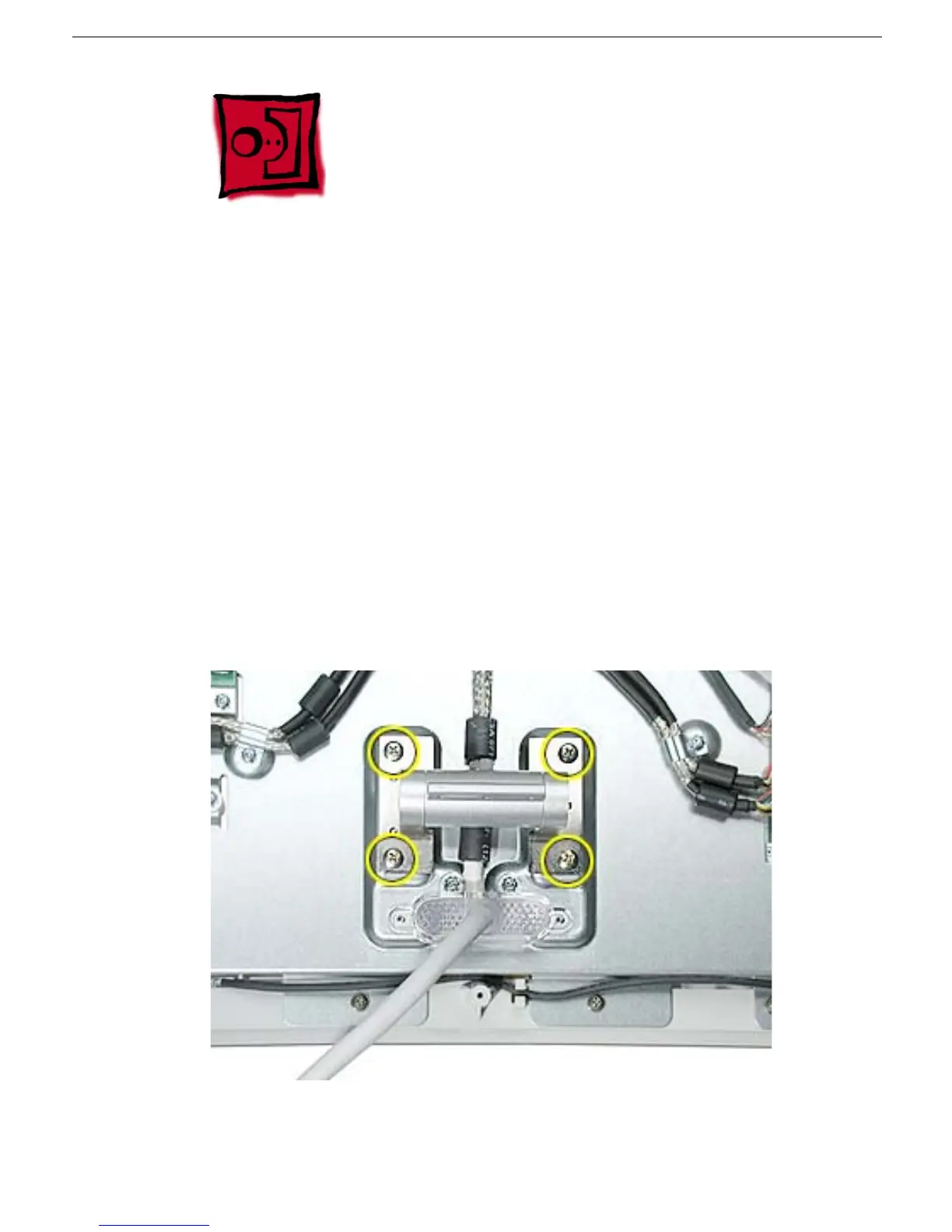
1. Remove four Phillips screws. Remove the hinge.
Replacement Note:
The hinge foot is keyed with three holes that must fit onto pins on the
chassis.



 To Next Page