20 -
Apple Cinema Display (20-inch) Take Apart
Display Panel
Procedure
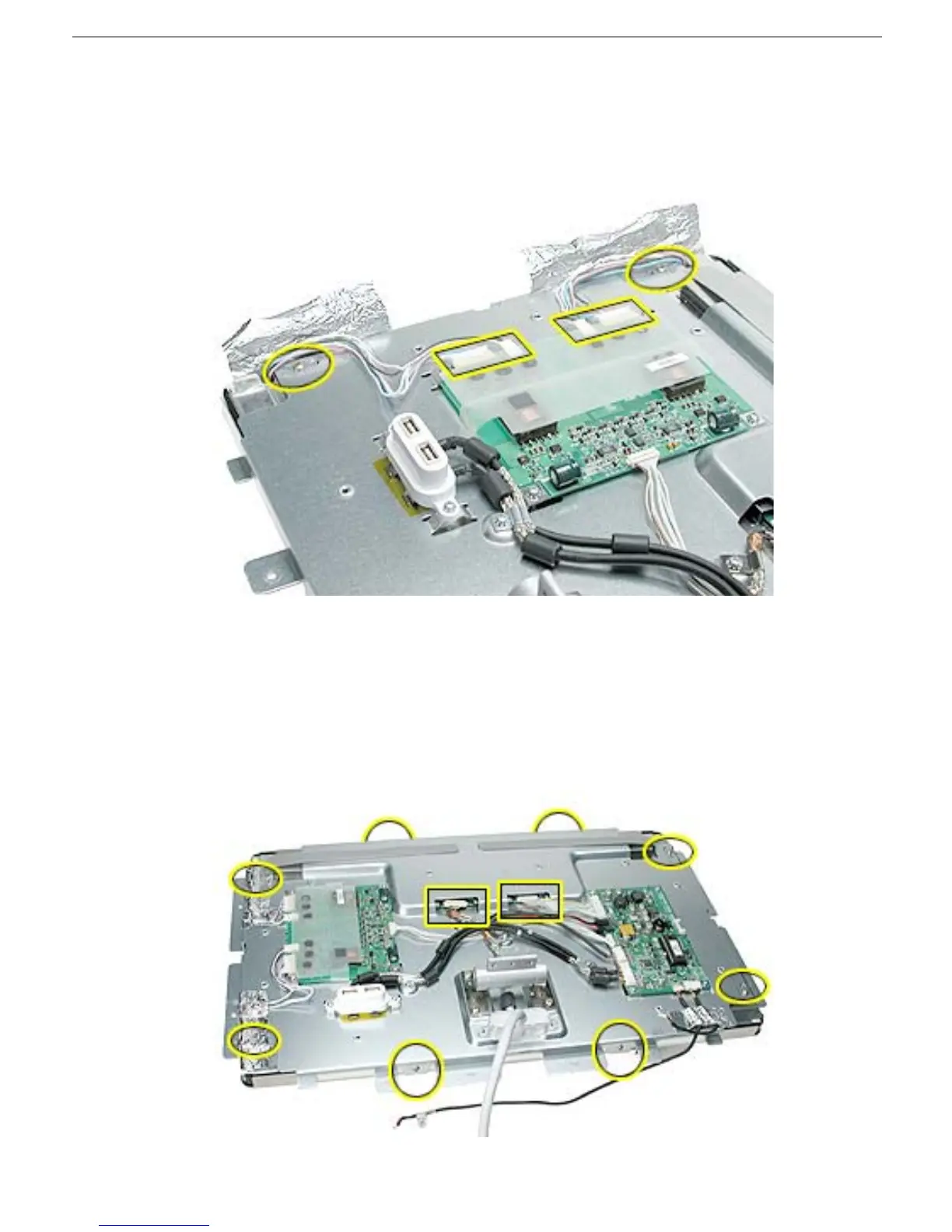
1. Carefully peel back the adhesive foil that secures the backlight bulb wires, to free the
wires and expose the screws that secure the left side of the display panel.
2. Disconnect the backlight bulb wire connectors from the inverter board.
3. Disconnect cable connectors to the display panel.
4. Remove the four Phillips screws located at the corners.
5. Remove two Phillips screws along the top side of the chassis, and two Phillips screws
along the bottom side of the chassis.
Important:
Support underneath the display assembly if lifting it up while removing
screws, to prevent the display from falling out of the chassis.



 To Next Page