Cinema HD Display (23-inch DVI) Take Apart -
11
End Caps
Preliminary Steps
There are no preliminary steps for this procedure.
Removing the End Caps
Note:
The two end caps are not interchangeable. When the LCD panel is facing you, the
end cap on the right side includes the touch switch board (a very thin board that sticks to
the inner surface of the end cap and connects with a detachable cable to the main board).
The end caps are held in place with adhesive. Use care when removing them.
1. Place the display face down on a clean ESD mat or cloth.
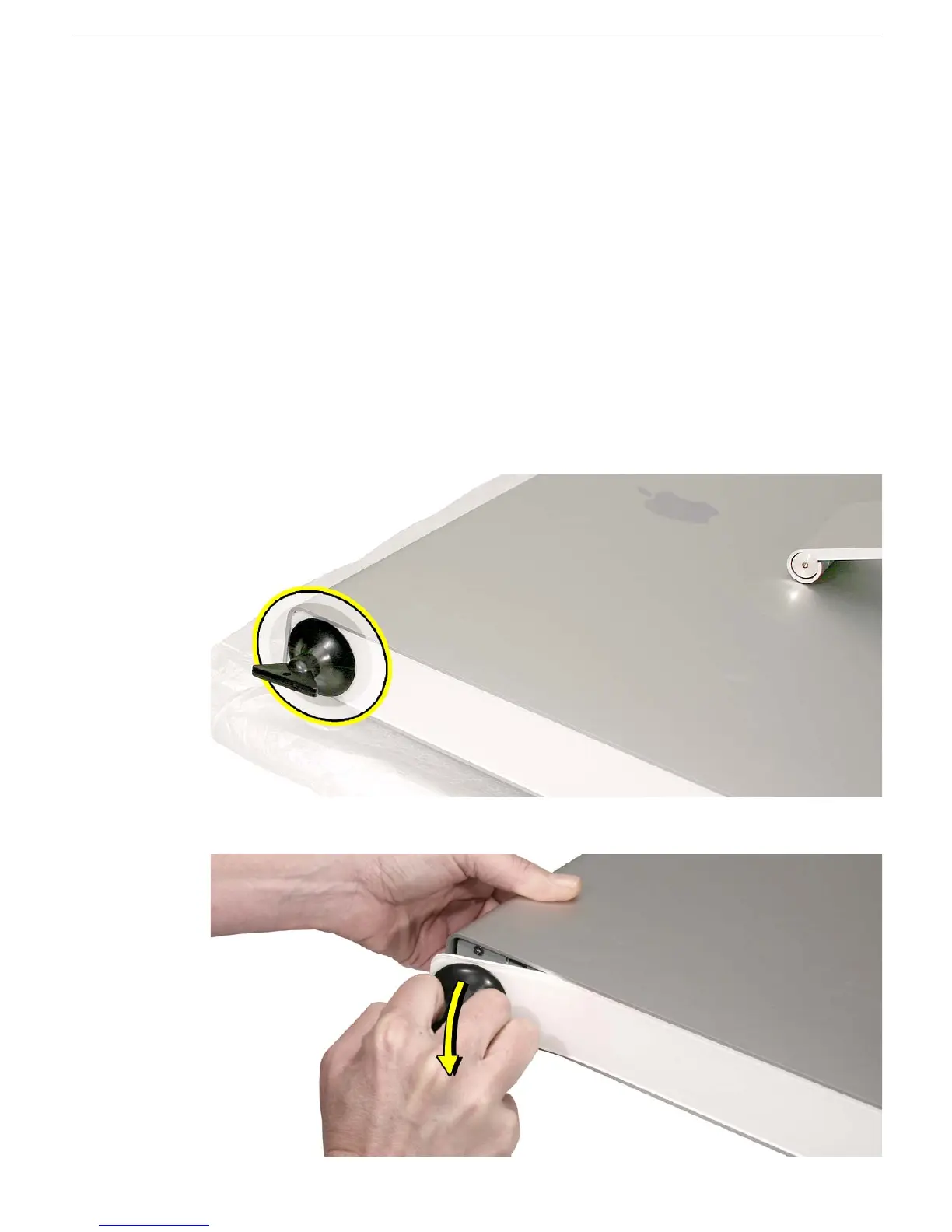
2. Press a suction cup onto the top end of the end cap.
Note:
The top inch or so of the end cap is not secured with adhesive, so the suction
cup can grip that end to start the removal process.
3. Pull the handle on the suction cup to start to loosen the end cap.



 To Next Page