46 - Cinema HD Display (23-inch DVI) Take Apart
I/O Panel
Procedure
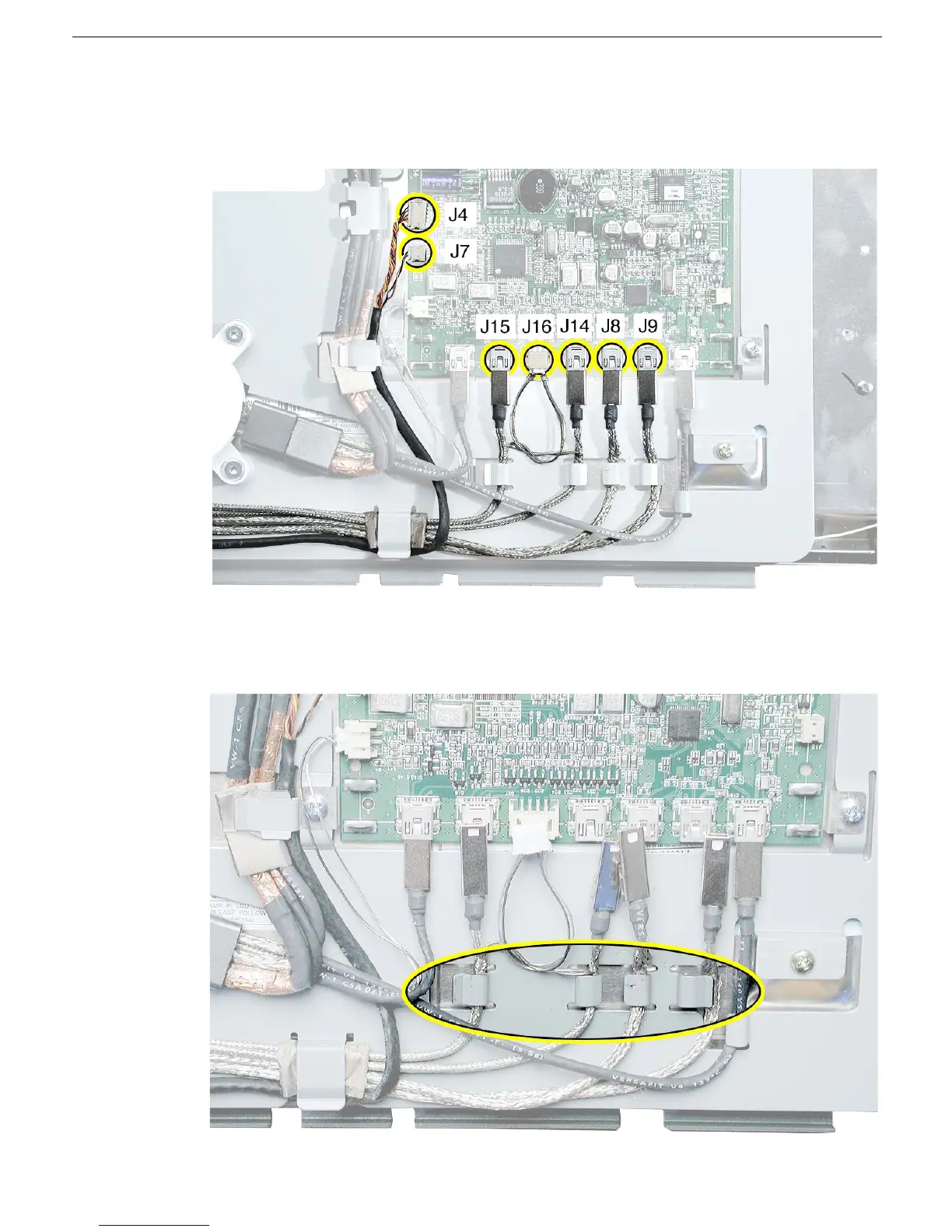
1. Disconnect cable connectors J4, J7, J8, J9. J14, J15, and J16 from the main board.
2. Important: The cables are delicate, do not tug or pull on the cables.
Carefully un-route the disconnected cables from their cable guides.



 To Next Page