Cinema HD Display (23-inch DVI) Take Apart - 47
I/O Panel
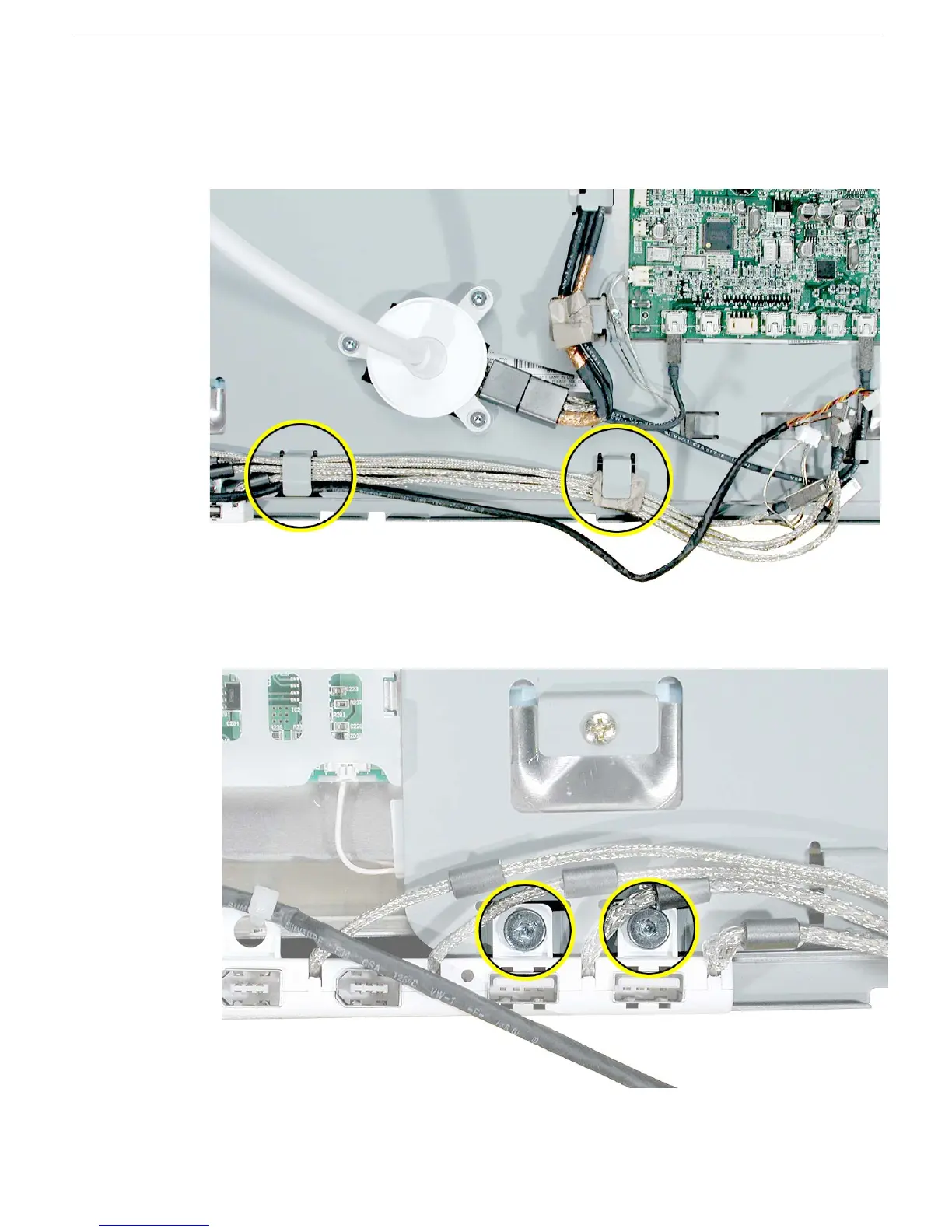
3. Remove the cables from the remaining cable guides.
Replacement Note: Re-use the folded gasket material to harness and protect the
cable bundle under the right-most cable guide.
4. Remove the two screws that secure the I/O panel to the back chassis.
5. Install the replacement I/O panel, and reassemble and test the display.



 To Next Page