eMac Memory -
8
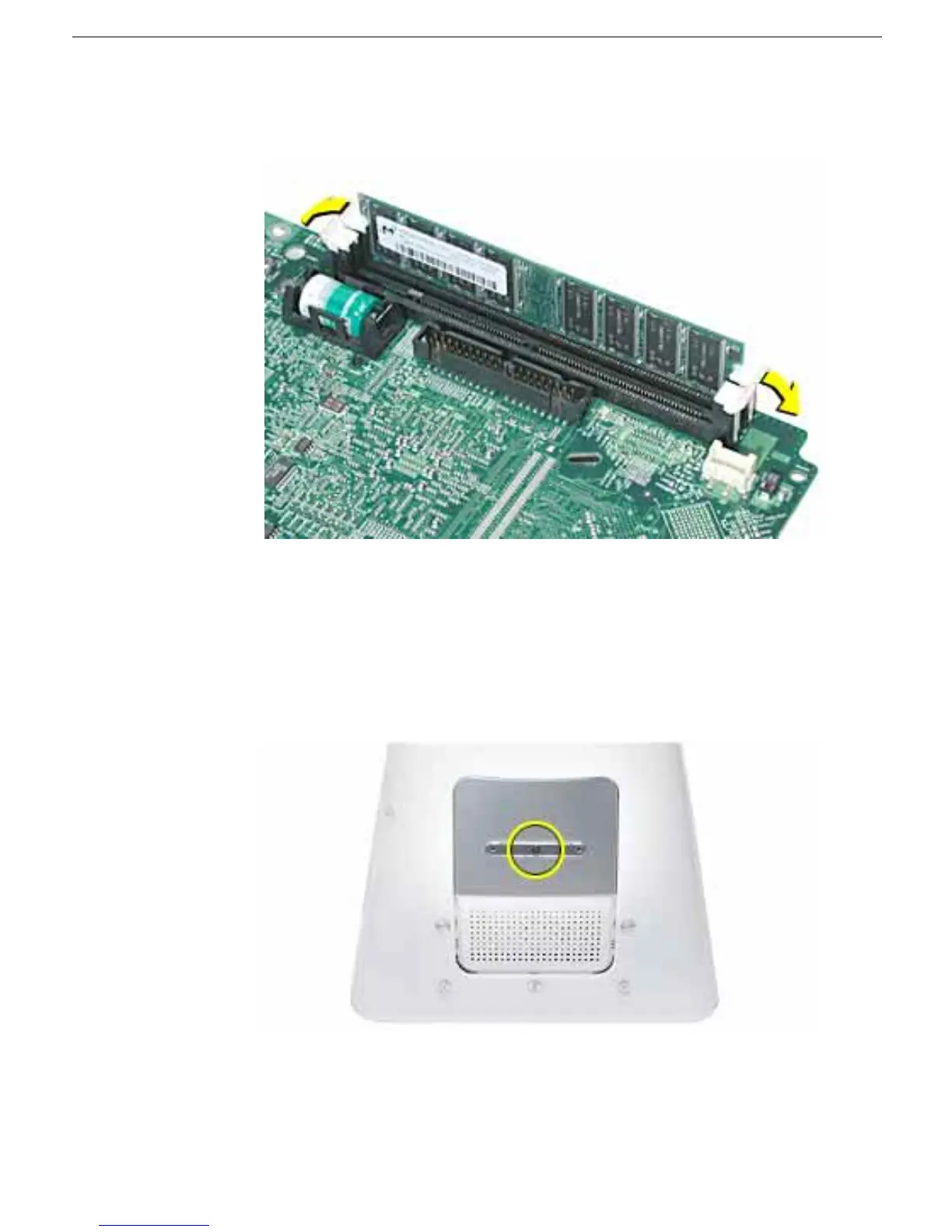
9. Remove the memory module. Push the ejectors on the memory slot outward and
down so they are in the open position. Lift the memory from the slot.
10. Insert the replacement memory into the open slot. The memory is designed to fit into
the slot only one way. Be sure to align the notches on the module with the small
notches inside the slot.
11. Push down on the memory until it snaps into place. The ejectors will automatically
close.
12. Replace the screw on the user access panel.
13. Gently turn the computer right side up.
14. Reconnect the cables you disconnected from the computer.
Important:
When
connecting the power cord, first plug the cord into your eMac, then plug the other end
into an electrical outlet or power strip.



 To Next Page