Chapter 3 Using Your Computer 31
Note: The Apple Video Adapter is not compatible with some previous models of eMac.
When an external monitor or television is connected, the same image appears on
both the eMac display and the external monitor (known as video mirroring).
Note: Because of the display limitations of most televisions, images displayed on
a television screen are of lower quality than those on the built-in display or
external monitor.
Connecting an External Display or Projector
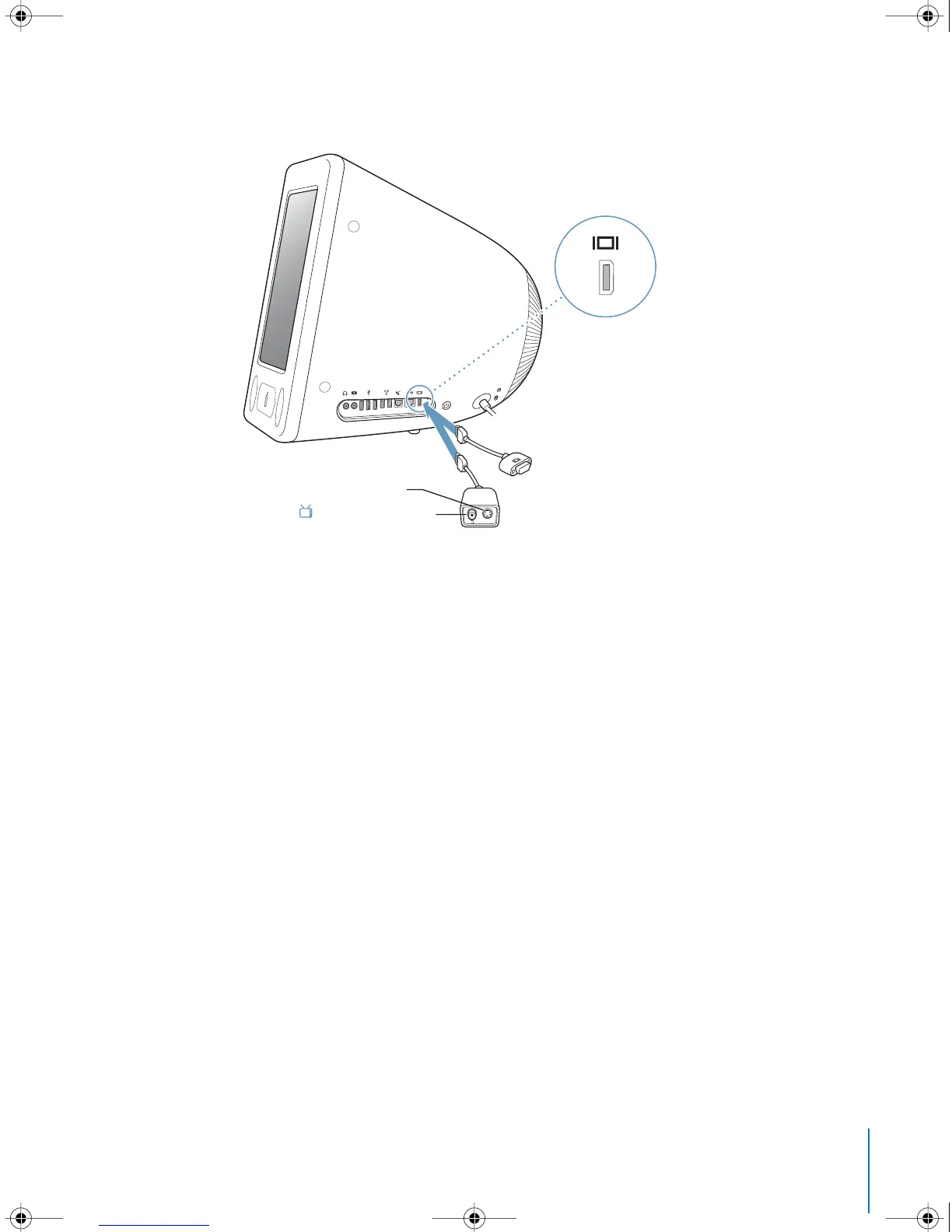
To connect an external display or projector to your computer with a VGA
connector:
1 Turn on the external display or projector.
2 Connect the Apple VGA Display Adapter to the VGA port on the external display or
projector.
3 Connect the Apple VGA Display Adapter to your eMac. Your eMac automatically detects
the external display.
Important: To ensure that your eMac automatically detects the external display
or projector, be sure the VGA adapter is plugged into the external display or projector
first.
4 Use the Displays pane of System Preferences to adjust the resolution on the external
display or projector.
Apple VGA adapter
Composite video port
Æ
S-video out port
Æ
Apple Video adapter
LL2522.book Page 31 Wednesday, February 18, 2004 11:53 AM



 To Next Page