42 Chapter 4 Enhancing Your Computer
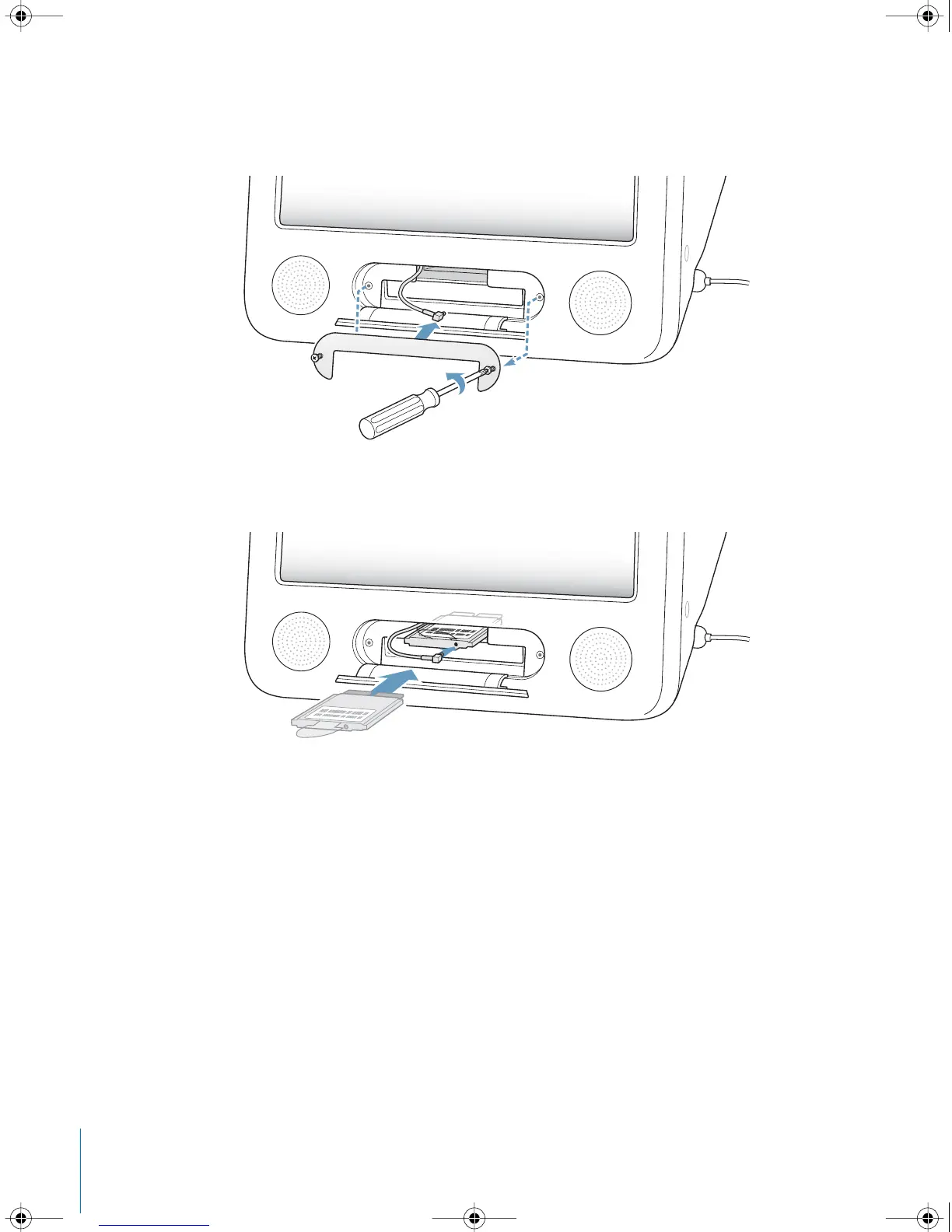
3 Loosen the captive screws on the AirPort access panel using a Phillips screwdriver. Then
remove the panel and unhook the antenna from the panel.
4 Insert the AirPort Extreme Card partially into the slot, with the logo facing down, then
connect the antenna firmly to the card.
LL2522.book Page 42 Wednesday, February 18, 2004 11:53 AM



 To Next Page