Chapter 4 Enhancing Your Computer 47
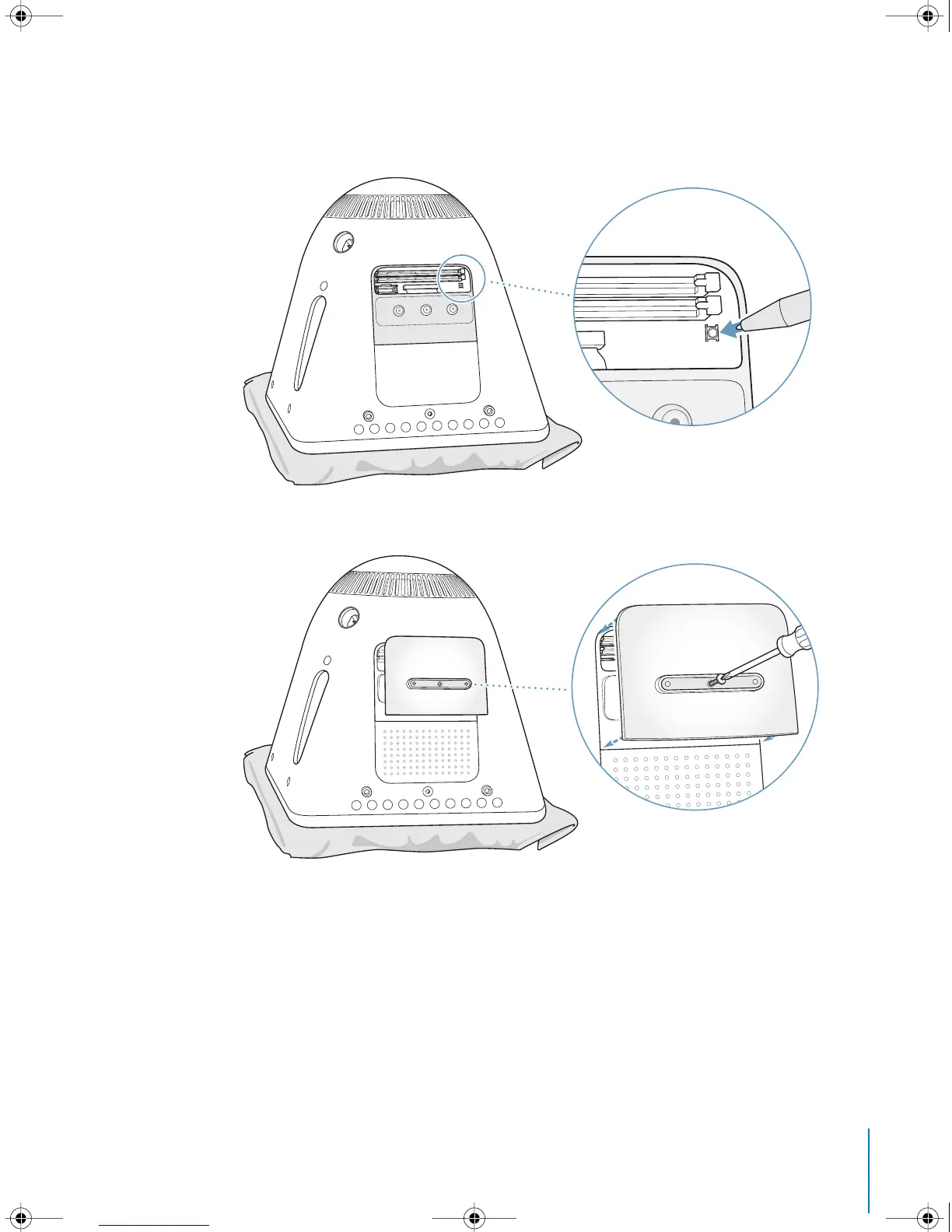
7 Locate the Power Management Unit reset button inside the computer. Push the button
for one second using a pen or pencil.
8 Hold the access panel against the base of the computer and tighten the screw.
LL2522.book Page 47 Wednesday, February 18, 2004 11:53 AM



 To Next Page