Appendix C Connecting to the Internet 75
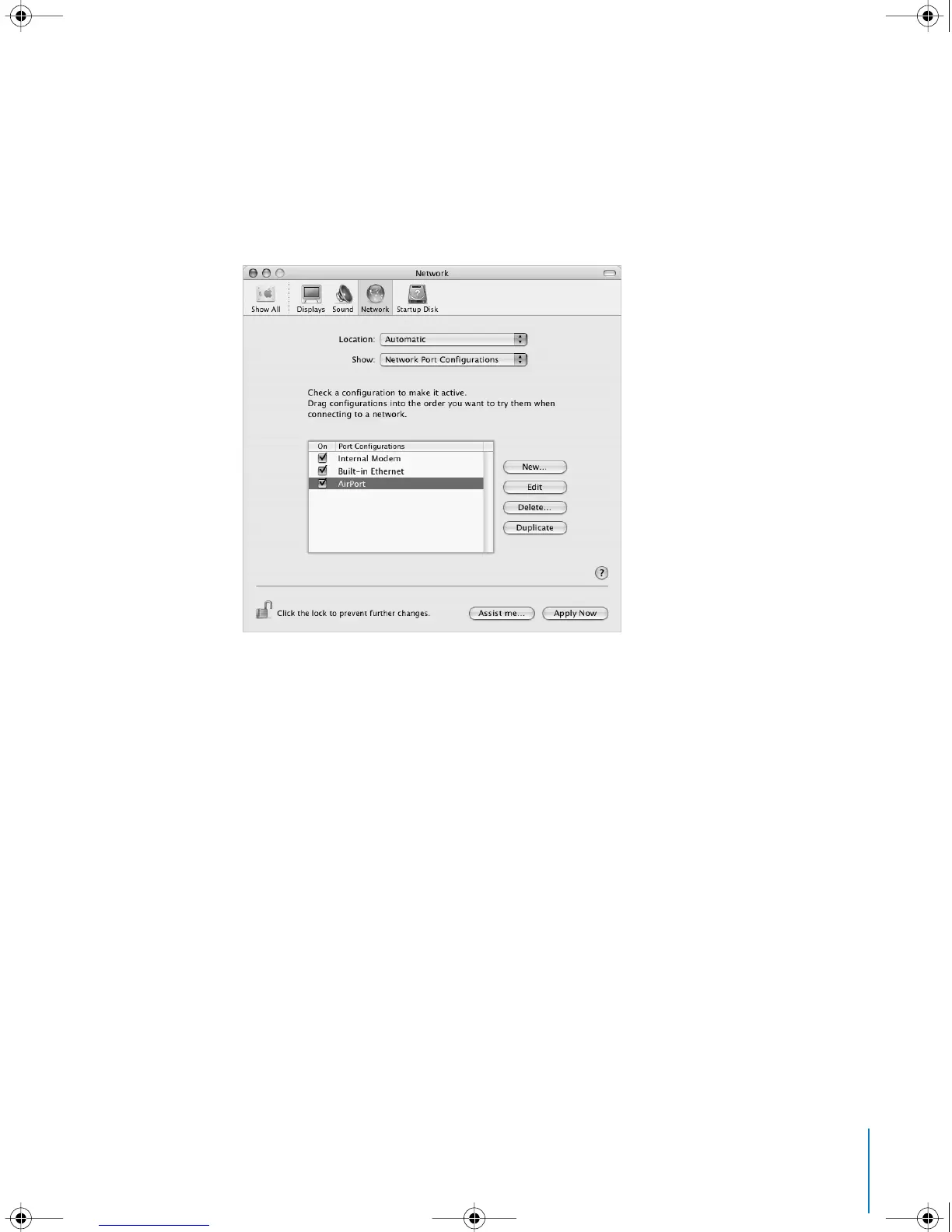
To set up Network preferences for an AirPort Extreme connection:
1 Choose Apple (K) > System Preferences from the menu bar.
2 Click Network.
3 Choose Network Port Configurations from the Show pop-up menu.
4 Select the On checkbox next to AirPort.
Next, follow the instructions to configure your network either manually or using DHCP,
as instructed by your ISP or network administrator. If you’re setting up your network
yourself, it may be easier to configure the network using DHCP, because the server
assigns IP addresses automatically.
LL2522.book Page 75 Wednesday, February 18, 2004 11:53 AM



 To Next Page