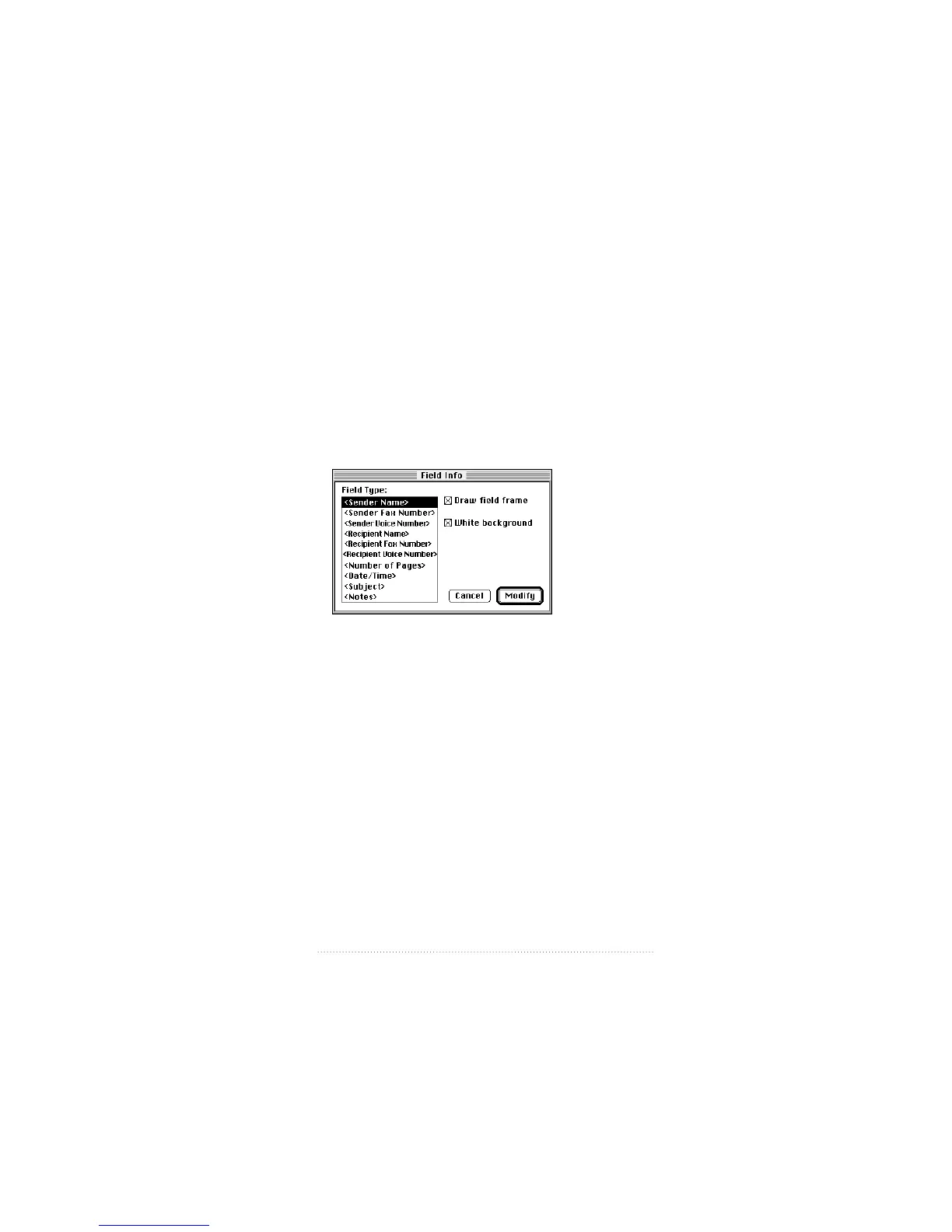
Modifying fields
Once you have placed a field on your cover page, you can
modify its assignment from the predefined list of fields. For
example, you might decide to change the <Sender Name>
field to <Number of Pages>.
To reassign a field that you have placed
1 Double-click the field that you want to reassign.
The list of fields appears
2 Select the field type that you want.
3 Check “Draw field frame” if you want a border drawn around
the field.
4 Check “White background” if you want the field to be on an
opaque white background. If you want the field information
to appear on a transparent background (over a graphic, for
example) uncheck “White background”.
5 Click Modify.
The field changes according to your settings.
99
Creating and Managing Cover Pages



 To Next Page